Chart position — tracked daily by LaunchShots
Screenshot changes — detected by LaunchShots
Screenshot style breakdown
Sampled from 6 of AzubiWelt's App Store screenshots — background, accent and theme, measured by LaunchShots (not something Apple publishes).
#FCFCFC bg
#DDDDDD
#BC4C6C accent
#111111 text
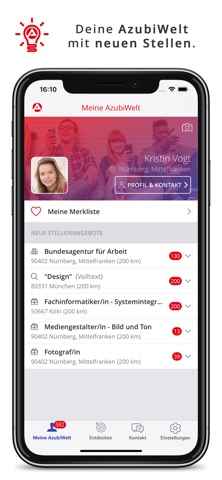
- #2(«) Herr Schmidt 12:35 Super, bis dann. Urspriingliche Nachricht A
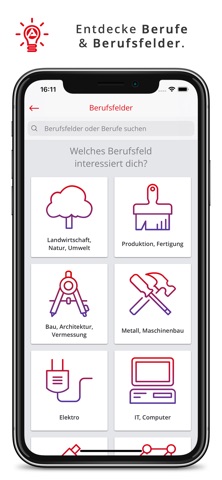
- #3Sebamed Metall, Maschinenbau Vermessung Elektro IT, Computer
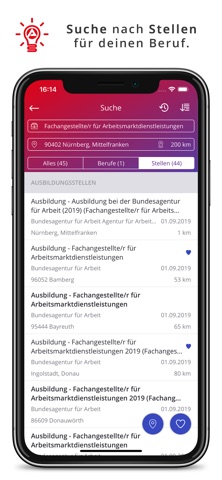
- #5Ausbildung - Fachangestellte/r für Arbeitsmarktdienstleistungen 2019 (Fachanges... Bundesa
- #6Ausbildung - Ausbildung bei der ©! Bundesagentur für Arbeit (2019) (Fachanges. Bundesagent
Captions read from the screenshots (OCR, may contain small errors): 4 headlines, 9.3 words on average (longest 12).
Screenshots




Icon palette
About this app
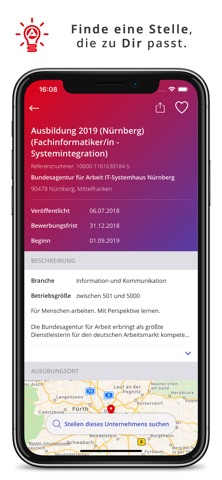
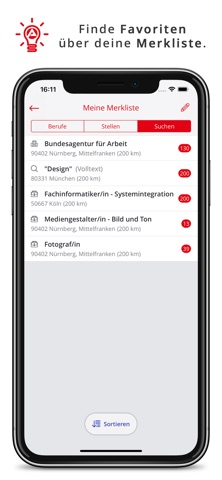
Mit der AzubiWelt entdeckst du deinen Traumberuf und findest genau die richtige Ausbildungsstelle, die zu dir passt. Die AzubiWelt bietet dir folgende Features: • Eigenes Profil mit Merkliste für Berufsfelder, Berufe, Ausbildungsstellen & Suchen. • Kontaktaufnahme mit der Berufsberatung. • Immer die neuesten Stellenangebote im Blick. • Mitteilungen bei neuen Ausbildungsstellen. • Berufsfelder & Berufe entdecken. • Details zu einem Beruf, z.B. Tätigkeitsbeschreibungen, Voraussetzungen, Steckbriefe, Bilder & Videos. • Ausbildungsstellensuche, z.B. für einen Beruf, für ein Unternehmen oder direkt in der Kartenansicht. • Details zu einer Ausbildungsstelle, z.B. Voraussetzungen, direkter Kontakt zum Arbeitgeber & Ansprechpartner. • Weiterempfehlen von Berufen & Ausbildungsstellen. Du suchst noch nach deinem Traumberuf? Du suchst nach einer Ausbildung in deinem bevorzugten Berufsfeld? Du w…
App details
What you can learn from AzubiWelt
Every shipping app on the App Store has gone through the same decisions you're working through right now: which screenshot goes first, what caption sits over it, which device frame to show, what color the background should be. The 9 screenshots above are AzubiWelt's answers to those questions — they're public, they're real, and they made it through Apple's review.
What the numbers say: AzubiWelt runs a light set with one background colour (#FCFCFC) carried across every screenshot — the listing reads as a single poster when the shots sit side by side in search results. The accent colour we picked up, #BC4C6C, is the one to reuse for badges, arrows and highlighted words if you borrow this look. Hit Use this style to open the editor with these exact colours and drop your own screenshot in.
Notice the first screenshot in particular. It's the one users see in search results and on the product page, and it's where most apps spend their best caption and tightest design. Look at the proportion of background to phone, where the text sits, what one thing the image is trying to communicate.
Want to see how other Business apps approach the same problem? Browse more Business apps in the showcase.
Take what works into your own screenshots
Open LaunchShots and design your App Store & Google Play screenshots — pick a device frame, drop captions, ship in minutes. Free, in your browser.
Open the screenshot editor →Apps with a similar look
Closest background + accent colours among the listings we've analysed — useful when you want to see the same palette handled by a different team.