Chart position — tracked daily by LaunchShots
Screenshot style breakdown
Sampled from 5 of 小田急アプリ's App Store screenshots — background, accent and theme, measured by LaunchShots (not something Apple publishes).
#FCFCFC bg
#DDDDDD
#0484CC accent
#111111 text
Screenshots


Icon palette
About this app
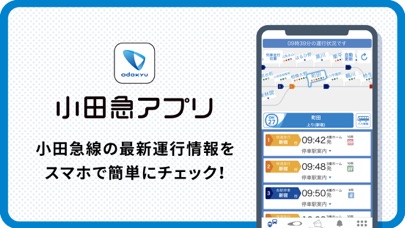
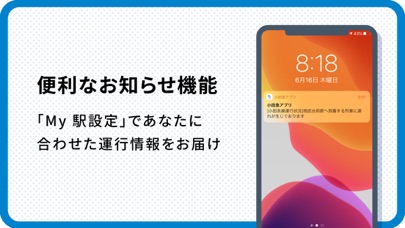
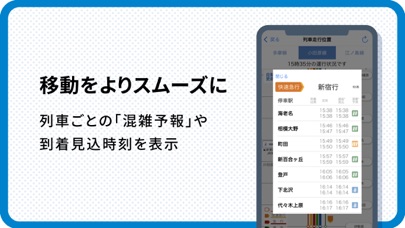
日々のおでかけをより便利で快適に! 列車の遅延予測や混雑予報、編成両数などの情報を発信中。「My駅」を登録&設定すれば、欲しい情報を自分好みにカスタマイズできます。 さらに、いつ・どこに・どんなロマンスカーが走行しているかが一目でわかる機能や、観光に便利なデジタルチケットを購入できる機能なども登場。 「小田急アプリ」で、小田急線でのスマートライフを始めましょう。 --------------------------------- 【1】リアルタイム運行情報 --------------------------------- 路線図に合わせて、すべての列車の走行位置をリアルタイムに表示。 配信している運行状況は、公式情報だから早くて正確。 もし小田急線内で遅延等が発生したら、プッシュ通知が配信されるから安心です。 --------------------------------- 【2】列車混雑情報 --------------------------------- 直近の輸送実績に基づいた、列車ごとの混雑見通しを6段階で表示。 混雑している電車があれば乗車を見送るなど、安心&快適におでかけできます。 -----------------------…
App details
What you can learn from 小田急アプリ
Every shipping app on the App Store has gone through the same decisions you're working through right now: which screenshot goes first, what caption sits over it, which device frame to show, what color the background should be. The 5 screenshots above are 小田急アプリ's answers to those questions — they're public, they're real, and they made it through Apple's review.
What the numbers say: 小田急アプリ runs a light set with one background colour (#FCFCFC) carried across every screenshot — the listing reads as a single poster when the shots sit side by side in search results. The accent colour we picked up, #0484CC, is the one to reuse for badges, arrows and highlighted words if you borrow this look. Hit Use this style to open the editor with these exact colours and drop your own screenshot in.
Notice the first screenshot in particular. It's the one users see in search results and on the product page, and it's where most apps spend their best caption and tightest design. Look at the proportion of background to phone, where the text sits, what one thing the image is trying to communicate.
Want to see how other Navigation apps approach the same problem? Browse more Navigation apps in the showcase.
Take what works into your own screenshots
Open LaunchShots and design your App Store & Google Play screenshots — pick a device frame, drop captions, ship in minutes. Free, in your browser.
Open the screenshot editor →Apps with a similar look
Closest background + accent colours among the listings we've analysed — useful when you want to see the same palette handled by a different team.