Screenshot style breakdown
Sampled from 5 of トレーニング TOEIC ® test's App Store screenshots — background, accent and theme, measured by LaunchShots (not something Apple publishes).
#FCFCFC bg
#DDDDDD
#142C74 accent
#111111 text
Screenshots


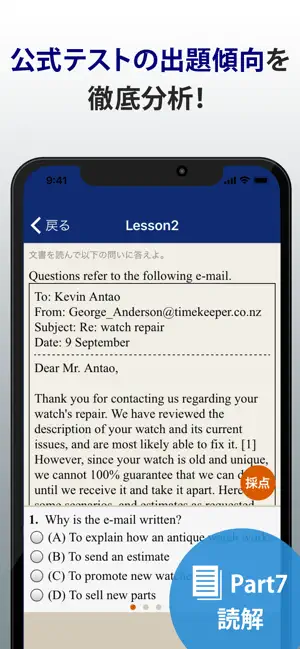
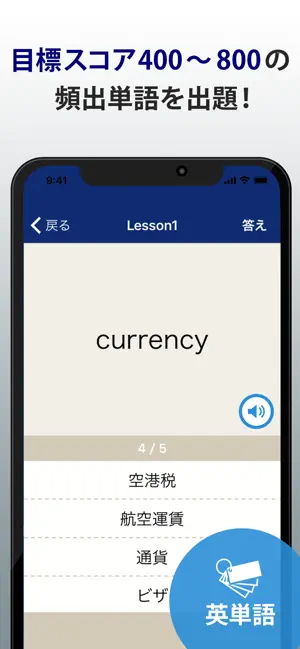
Icon palette
About this app
究極のTOEIC®test対策アプリ! リスニング(Part1から4)、リーディング(Part5から7)の問題集に加えて、ターゲットスコア別の英単語・英熟語問題も収録! スキマ時間にコツコツ問題を解いて実力を高めよう! TOEIC®はエデュケーション・テスティング・サービス(ETS)の登録商標です。 この製品はETSの検討を受けまたはその承認を得たものではありません。 本アプリ「トレーニング TOEIC ® test」は無料です。 すべての問題(リスニング、文法、リーディング、単語など)を無料でご利用頂けます。 広告表示が気になる方は、有料となり誠に恐縮ですがもし宜しければ「本気で学習プラン(広告非表示)」をぜひご利用ください。 利用規約 https://apps.flipout.jp/terms_of_use.html 本アプリ「トレーニング TOEIC ® test」のコンテンツは、弊社が独自に作成したものです。 内容について不明な点などがございましたら、アプリ内のお問い合わせから弊社にご連絡ください。 信頼と実績の本アプリ「トレーニング TOEIC ® test」をぜひご活用ください!
App details
What you can learn from トレーニング TOEIC ® test
Every shipping app on the App Store has gone through the same decisions you're working through right now: which screenshot goes first, what caption sits over it, which device frame to show, what color the background should be. The 5 screenshots above are トレーニング TOEIC ® test's answers to those questions — they're public, they're real, and they made it through Apple's review.
What the numbers say: トレーニング TOEIC ® test runs a light set with one background colour (#FCFCFC) carried across every screenshot — the listing reads as a single poster when the shots sit side by side in search results. The accent colour we picked up, #142C74, is the one to reuse for badges, arrows and highlighted words if you borrow this look. Hit Use this style to open the editor with these exact colours and drop your own screenshot in.
Notice the first screenshot in particular. It's the one users see in search results and on the product page, and it's where most apps spend their best caption and tightest design. Look at the proportion of background to phone, where the text sits, what one thing the image is trying to communicate.
Want to see how other Education apps approach the same problem? Browse more Education apps in the showcase.
Take what works into your own screenshots
Open LaunchShots and design your App Store & Google Play screenshots — pick a device frame, drop captions, ship in minutes. Free, in your browser.
Open the screenshot editor →Apps with a similar look
Closest background + accent colours among the listings we've analysed — useful when you want to see the same palette handled by a different team.