Chart position — tracked daily by LaunchShots
Screenshot changes — detected by LaunchShots
Screenshot style breakdown
Sampled from 6 of シンプル家計簿 - 人気の家計簿アプリ(かけいぼ)'s App Store screenshots — background, accent and theme, measured by LaunchShots (not something Apple publishes).
#ECECEC bg
#CFCFCF
#D4940C accent
#111111 text
Screenshots

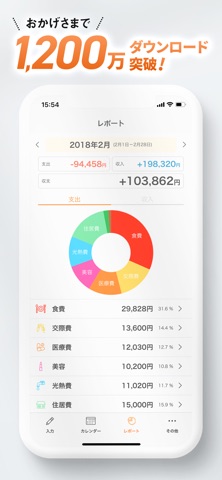


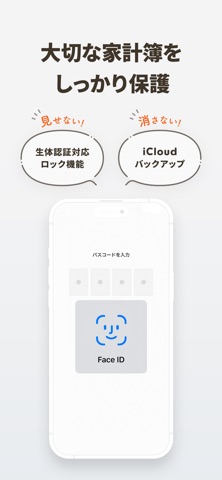
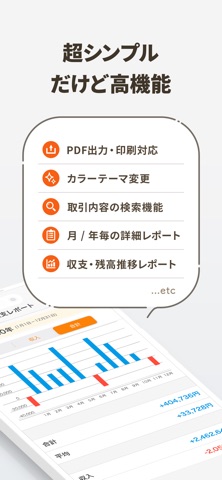
iPad screenshots


Icon palette
About this app
AppStoreランキング1位獲得の家計簿アプリ!ギャル曽根さんにテレビで紹介され、1番シンプルで使いやすいと高評価! 収入と支出を、かんたんに記録・管理できるシンプルな家計簿アプリです。 会員登録なし、銀行連携なし、サブスクリプションなし。 すべてのデータは端末内に保存され、高速・安全・オフラインで利用できます。 iOSに馴染んだデザインで、誰でもすぐに家計簿を始められます。 ぜひシンプル家計簿 MoneyNote(マネーノート)を使ってみてください。簡単なので、おこづかい帳にもピッタリです!絶賛いただいたレビューもたくさんあるので、ぜひ下記のレビュー欄もご覧いただけると嬉しいです! 特長 ---------------- ・とにかくシンプルで使いやすい ・会員登録不要 ・永久に無料で利用可能(後から制限が入って、課金しないと使えなくなるようなことはありません) ・確認しやすいカレンダー付き ・カテゴリーごとに予算設定 ・月別・年別・累計レポート ・カテゴリーは無制限に作成可能 ・固定収入・固定支出の設定数は無制限 …
App details
What you can learn from シンプル家計簿 - 人気の家計簿アプリ(かけいぼ)
Every shipping app on the App Store has gone through the same decisions you're working through right now: which screenshot goes first, what caption sits over it, which device frame to show, what color the background should be. The 18 screenshots above are シンプル家計簿 - 人気の家計簿アプリ(かけいぼ)'s answers to those questions — they're public, they're real, and they made it through Apple's review.
What the numbers say: シンプル家計簿 - 人気の家計簿アプリ(かけいぼ) runs a light set with one background colour (#ECECEC) carried across every screenshot — the listing reads as a single poster when the shots sit side by side in search results. The accent colour we picked up, #D4940C, is the one to reuse for badges, arrows and highlighted words if you borrow this look. Hit Use this style to open the editor with these exact colours and drop your own screenshot in.
Notice the first screenshot in particular. It's the one users see in search results and on the product page, and it's where most apps spend their best caption and tightest design. Look at the proportion of background to phone, where the text sits, what one thing the image is trying to communicate.
Want to see how other Finance apps approach the same problem? Browse more Finance apps in the showcase.
Take what works into your own screenshots
Open LaunchShots and design your App Store & Google Play screenshots — pick a device frame, drop captions, ship in minutes. Free, in your browser.
Open the screenshot editor →Apps with a similar look
Closest background + accent colours among the listings we've analysed — useful when you want to see the same palette handled by a different team.