Chart position — tracked daily by LaunchShots
Screenshot style breakdown
Sampled from 6 of FXなび-デモトレードと本格FXチャートの投資ゲーム's App Store screenshots — background, accent and theme, measured by LaunchShots (not something Apple publishes).
#FCFCFC bg
#DDDDDD
#1C54CC accent
#111111 text
Screenshots


iPad screenshots



Icon palette
About this app
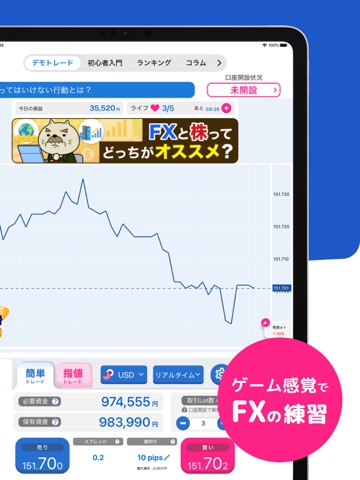
投資って難しそう...チャートって...?そんなキミでも大丈夫! 初心者さんにもおすすめのFX!実は株より簡単…!? ▼本格FXデモトレード スプレッド・レバレッジ対応の超本格デモトレード! どのようにFXはお金が動くのか、見やすいチャートでリアルに利益とリスクを体験できます。 取扱い通貨は主要通貨からマイナー通貨まで、レベルに合わせて解放! 土日もデモ用チャートが動くので、市場がお休みでも練習できます。 移動平均線や経済指標イベントを見ながら取引分析もできますよ!! ▼FXまんがで簡単入門 FX初心者向けにまんがをご用意しました!気軽にFXを理解することができます。 コミカルに!だけど、詳しくFXのルールを理解しましょう。 1巻と2巻があるよ。 ▼充実の入門コンテンツ 「正しいFXの知識を、簡単に知りたい」そんな方向けに書き下ろしたFX入門虎の巻! チャートの見方等、挿絵も図解もいっぱいでスッとポイントをわしづかみ。 自分のFX知識習得度も表示されるので、残りの勉強量も一目瞭然! 専門用語も用語辞典で一発理解! ▼超豊富!金融…
App details
What you can learn from FXなび-デモトレードと本格FXチャートの投資ゲーム
Every shipping app on the App Store has gone through the same decisions you're working through right now: which screenshot goes first, what caption sits over it, which device frame to show, what color the background should be. The 18 screenshots above are FXなび-デモトレードと本格FXチャートの投資ゲーム's answers to those questions — they're public, they're real, and they made it through Apple's review.
What the numbers say: FXなび-デモトレードと本格FXチャートの投資ゲーム runs a light set with one background colour (#FCFCFC) carried across every screenshot — the listing reads as a single poster when the shots sit side by side in search results. The accent colour we picked up, #1C54CC, is the one to reuse for badges, arrows and highlighted words if you borrow this look. Hit Use this style to open the editor with these exact colours and drop your own screenshot in.
Notice the first screenshot in particular. It's the one users see in search results and on the product page, and it's where most apps spend their best caption and tightest design. Look at the proportion of background to phone, where the text sits, what one thing the image is trying to communicate.
Want to see how other Finance apps approach the same problem? Browse more Finance apps in the showcase.
Take what works into your own screenshots
Open LaunchShots and design your App Store & Google Play screenshots — pick a device frame, drop captions, ship in minutes. Free, in your browser.
Open the screenshot editor →Apps with a similar look
Closest background + accent colours among the listings we've analysed — useful when you want to see the same palette handled by a different team.