Chart position — tracked daily by LaunchShots
Screenshot changes — detected by LaunchShots
Screenshot style breakdown
Sampled from 6 of PayPay's App Store screenshots — background, accent and theme, measured by LaunchShots (not something Apple publishes).
#FCF4F4 bg
#DDD6D6
#FC0434 accent
#111111 text
Screenshots
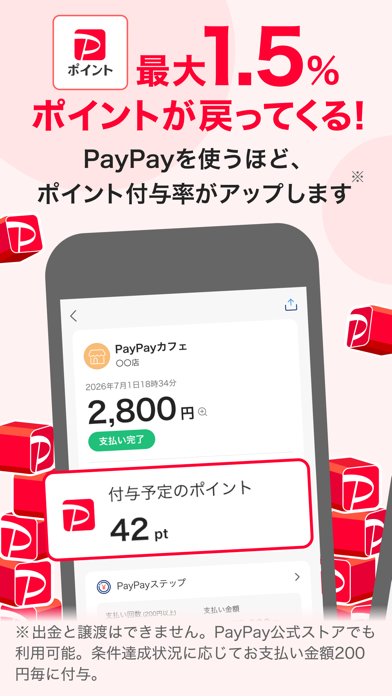


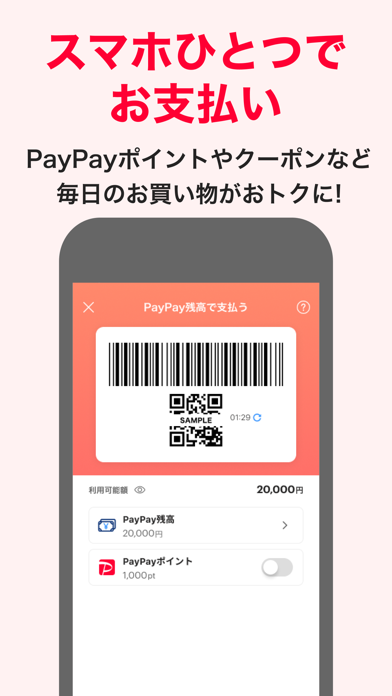


Icon palette
About this app
PayPayの登録ユーザー数はついに7,500万人到達!(※1) PayPayは、スマホひとつで簡単・スマートにお支払いができる決済アプリです。 ◆ 毎日おトクなクーポン多数! PayPayクーポンは毎週月曜日更新!コンビニやドラッグストア、アパレルショップなどの有名店や人気ブランドのクーポンを獲得できます。 ◆ 日本全国1,000万箇所以上で使える! 使えるお店やおトクなキャンペーンはアプリの「近くのおトク」で探せます。 ◆ 支払うたびにポイントが貯まる PayPayで支払うと、PayPayポイントが最大2%貯まります。 (※付与条件はPayPayステップをご確認ください) ●最短1分で登録完了! ● PayPayの本人確認で、さらに便利・安心に 本人確認をすると「銀行口座からチャージ」や、万が一の不正利用に備えた「全額補償制度」が利用でき、安心してご利用いただけます。 ●「送る・受け取る」も手数料0円 手軽に個人間でPayPay残高を送る・受け取るが可能です。LINEのトークルームからも! 毎月のおこづかいやお年玉にも使えます。 旅行の精算や食事会の割り勘は「グルー…
App details
What you can learn from PayPay
Every shipping app on the App Store has gone through the same decisions you're working through right now: which screenshot goes first, what caption sits over it, which device frame to show, what color the background should be. The 7 screenshots above are PayPay's answers to those questions — they're public, they're real, and they made it through Apple's review.
What the numbers say: PayPay runs a light set with one background colour (#FCF4F4) carried across every screenshot — the listing reads as a single poster when the shots sit side by side in search results. The accent colour we picked up, #FC0434, is the one to reuse for badges, arrows and highlighted words if you borrow this look. Hit Use this style to open the editor with these exact colours and drop your own screenshot in.
Notice the first screenshot in particular. It's the one users see in search results and on the product page, and it's where most apps spend their best caption and tightest design. Look at the proportion of background to phone, where the text sits, what one thing the image is trying to communicate.
Want to see how other Finance apps approach the same problem? Browse more Finance apps in the showcase.
Take what works into your own screenshots
Open LaunchShots and design your App Store & Google Play screenshots — pick a device frame, drop captions, ship in minutes. Free, in your browser.
Open the screenshot editor →Apps with a similar look
Closest background + accent colours among the listings we've analysed — useful when you want to see the same palette handled by a different team.