Chart position — tracked daily by LaunchShots
Screenshot changes — detected by LaunchShots
Screenshot style breakdown
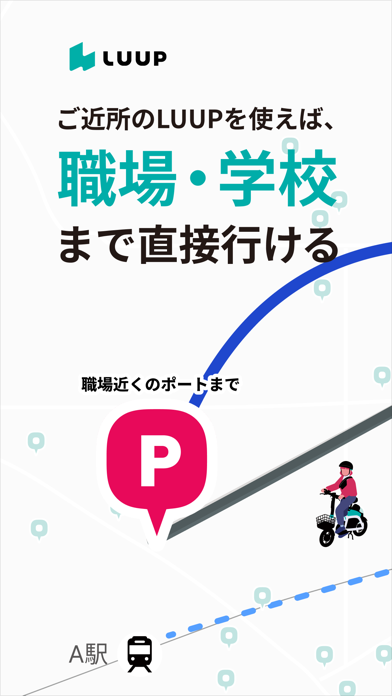
Sampled from 6 of LUUP/ループ シェアサイクル 電動キックボードや自転車's App Store screenshots — background, accent and theme, measured by LaunchShots (not something Apple publishes).
#FCFCFC bg
#DDDDDD
#EC0C5C accent
#111111 text
- #5STEP1
Captions read from the screenshots (OCR, may contain small errors): 1 headline, 1 words on average (longest 1), mostly ALL CAPS.
Screenshots


Icon palette
About this app
現在、東京、大阪、京都、宇都宮、横浜、神戸市、名古屋、広島、仙台、福岡、北九州、浜松など全国にて展開!通勤や通学、買い物など徒歩だと少し遠い程度の移動にご活用ください! 新規アカウント登録の方限定!10日間何度でもライド無料。 ※クーポンは登録手続き中のご案内でのみ受取可(後日付与不可)。無料期間は受取から240時間、1回30分まで。国内居住者のみ対象。一部エリアは対象外※対象エリア詳細は後述。 ■ 特徴 1. 免許証不要!16歳以上であれば電動キックボードに乗れる! 電動キックボードは、年齢確認のうえ、事前テストを合格することで乗車することができます。 2. ライドから支払いまでアプリで完結 アプリでレンタル手続きを行いライドを開始。支払いもアプリ内で行われるため、スマホ1台あれば利用することができます。 3. 会員登録無料!今日から使えます ダウンロード後その場ですぐに利用することができます。 4.小型だけどパワフルな電動アシスト自転車 車両は小型に設計されているものの、馬力が強いため、誰でも疲れずに安定して乗る…
App details
What you can learn from LUUP/ループ シェアサイクル 電動キックボードや自転車
Every shipping app on the App Store has gone through the same decisions you're working through right now: which screenshot goes first, what caption sits over it, which device frame to show, what color the background should be. The 8 screenshots above are LUUP/ループ シェアサイクル 電動キックボードや自転車's answers to those questions — they're public, they're real, and they made it through Apple's review.
What the numbers say: LUUP/ループ シェアサイクル 電動キックボードや自転車 runs a light set with one background colour (#FCFCFC) carried across every screenshot — the listing reads as a single poster when the shots sit side by side in search results. The accent colour we picked up, #EC0C5C, is the one to reuse for badges, arrows and highlighted words if you borrow this look. Hit Use this style to open the editor with these exact colours and drop your own screenshot in.
Notice the first screenshot in particular. It's the one users see in search results and on the product page, and it's where most apps spend their best caption and tightest design. Look at the proportion of background to phone, where the text sits, what one thing the image is trying to communicate.
Want to see how other Navigation apps approach the same problem? Browse more Navigation apps in the showcase.
Take what works into your own screenshots
Open LaunchShots and design your App Store & Google Play screenshots — pick a device frame, drop captions, ship in minutes. Free, in your browser.
Open the screenshot editor →Apps with a similar look
Closest background + accent colours among the listings we've analysed — useful when you want to see the same palette handled by a different team.