Chart position — tracked daily by LaunchShots
Screenshot changes — detected by LaunchShots
Screenshot style breakdown
Sampled from 6 of 叫叫-学阅读选叫叫's App Store screenshots — background, accent and theme, measured by LaunchShots (not something Apple publishes).
#FCDC0C bg
#DDC10A
#FCFC64 accent
#111111 text
Reading the caption text from the screenshots in your browser…
Screenshots


iPad screenshots



Icon palette
About this app
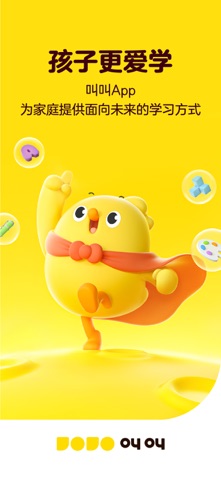
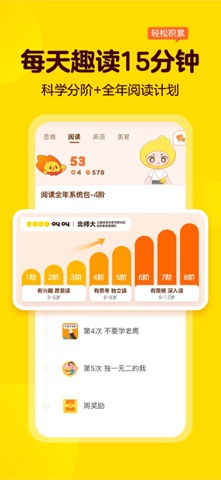
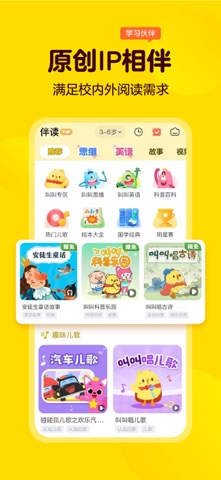
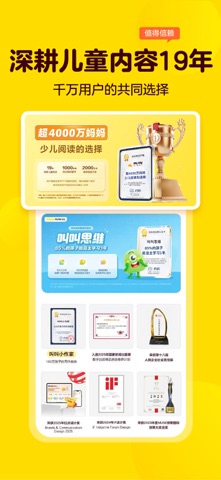
深耕儿童内容19年,孩子更爱学,妈妈不操心。 【品牌理念】 叫叫阅读坚持用孩子喜欢的方法讲内容,用有趣的情节、鲜活的人物、“细读+精思”的模式带着孩子读完各类内容。 叫叫阅读还通过“精读、精讲、精练”三个环节,一步步引导孩子真正读进去、读明白、能应用。 每天15分钟,每年240次阅读计划,以及各类激励机制,让孩子能坚持,为孩子带来不可估量的成长力量。 【深耕儿童内容19年,专业可靠】 -人民网“儿童阅力计划”官方合作伙伴 -入选国家新闻出版署2023年度数字出版精品遴选推荐计划 -联合新华社瞭望智库发布《中国儿童阅读能力调研报告》 【产品优势】 1.孩子本位: 叫叫始终坚持以孩子为核心进行内容研发,确保孩子喜欢,内容有趣有效。 2.教研体系+专业测评 -产品科学分阶,更符合中国孩子成长需求。 -联合北师大伍新春教授团队,行业首创儿童中文阅读能力测评体系。 -引入英国培生专业英语能力测评。 3.场景服务 -百科知识、大咖直播,以及丰富的IP活动,不断解锁花式新玩法,为家庭学习提供更多有趣、有效的场景。 【联系我们】 公众号:叫叫App官方公…
App details
What you can learn from 叫叫-学阅读选叫叫
Every shipping app on the App Store has gone through the same decisions you're working through right now: which screenshot goes first, what caption sits over it, which device frame to show, what color the background should be. The 12 screenshots above are 叫叫-学阅读选叫叫's answers to those questions — they're public, they're real, and they made it through Apple's review.
What the numbers say: 叫叫-学阅读选叫叫 runs a light set with one background colour (#FCDC0C) carried across every screenshot — the listing reads as a single poster when the shots sit side by side in search results. The accent colour we picked up, #FCFC64, is the one to reuse for badges, arrows and highlighted words if you borrow this look. Hit Use this style to open the editor with these exact colours and drop your own screenshot in.
Notice the first screenshot in particular. It's the one users see in search results and on the product page, and it's where most apps spend their best caption and tightest design. Look at the proportion of background to phone, where the text sits, what one thing the image is trying to communicate.
Want to see how other Education apps approach the same problem? Browse more Education apps in the showcase.
Take what works into your own screenshots
Open LaunchShots and design your App Store & Google Play screenshots — pick a device frame, drop captions, ship in minutes. Free, in your browser.
Open the screenshot editor →Apps with a similar look
Closest background + accent colours among the listings we've analysed — useful when you want to see the same palette handled by a different team.