Chart position — tracked daily by LaunchShots
Screenshot style breakdown
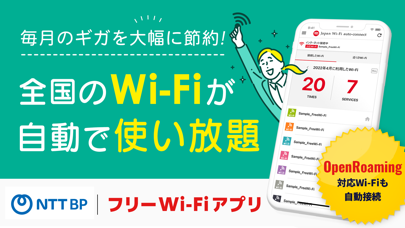
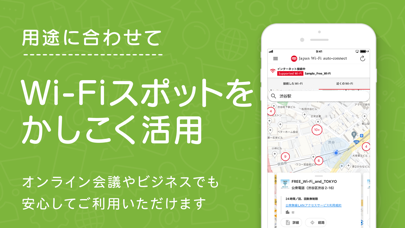
Sampled from 5 of Japan Wi-Fi auto-connect/WiFi's App Store screenshots — background, accent and theme, measured by LaunchShots (not something Apple publishes).
#04AC94 bg
#27B7A2
#FCF404 accent
#FFFFFF text
Reading the caption text from the screenshots in your browser…
Screenshots



Icon palette
About this app
空港でも列車内でもコンビニでもカフェでも。日本全国のWi-Fiスポットで自動でつながるアプリです。 ダウンロードしたら最初にユーザー登録をするだけ。 一度でも接続したことがあるWi-Fiなら、Wi-Fiスポットでの操作は必要ありません!Wi-Fiスポットについたらすぐに、インターネットをご利用いただけます。 Wi-Fiに接続するとポップアップメッセージで通知します。 従来の当社アプリに比べ、省電力かつ動作も軽快です。Wi-Fiサービスをより簡単かつ快適に、また安心してご利用いただけます。 【Japan Wi-Fi auto-connectの特徴】 対応Wi-Fiサービスは、デパートなどの商業施設、駅や空港などの公共交通機関、公共施設などをはじめとした信頼性の高いWi-Fiサービスです。提供元が明確で安心・安全なアクセスポイントだけに自動でつながります。 Wi-Fiをご利用になるお客さまには見分けがつきにくい、正規のアクセスポイントに偽装したWi-Fi、いわゆる「なりすましアクセスポイント」にはつながりません。 Wi-Fiサービスの提供エリアに関する観光情報や店舗・施…
App details
What you can learn from Japan Wi-Fi auto-connect/WiFi
Every shipping app on the App Store has gone through the same decisions you're working through right now: which screenshot goes first, what caption sits over it, which device frame to show, what color the background should be. The 5 screenshots above are Japan Wi-Fi auto-connect/WiFi's answers to those questions — they're public, they're real, and they made it through Apple's review.
What the numbers say: Japan Wi-Fi auto-connect/WiFi runs a mixed light-and-dark set where the background shifts from screenshot to screenshot (first shot #04AC94) — each image has to stand on its own, so the captions carry more of the story. The accent colour we picked up, #FCF404, is the one to reuse for badges, arrows and highlighted words if you borrow this look. Hit Use this style to open the editor with these exact colours and drop your own screenshot in.
Notice the first screenshot in particular. It's the one users see in search results and on the product page, and it's where most apps spend their best caption and tightest design. Look at the proportion of background to phone, where the text sits, what one thing the image is trying to communicate.
Want to see how other Travel apps approach the same problem? Browse more Travel apps in the showcase.
Take what works into your own screenshots
Open LaunchShots and design your App Store & Google Play screenshots — pick a device frame, drop captions, ship in minutes. Free, in your browser.
Open the screenshot editor →Apps with a similar look
Closest background + accent colours among the listings we've analysed — useful when you want to see the same palette handled by a different team.