Chart position — tracked daily by LaunchShots
Screenshot style breakdown
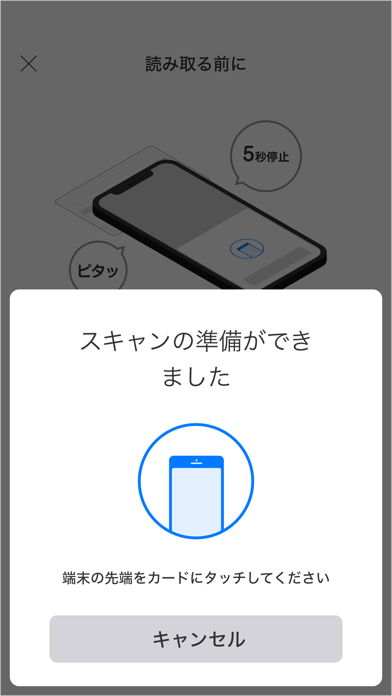
Sampled from 5 of ゆうちょ認証アプリ's App Store screenshots — background, accent and theme, measured by LaunchShots (not something Apple publishes).
#FCFCF4 bg
#DDDDD6
#049C04 accent
#111111 text
Reading the caption text from the screenshots in your browser…
Screenshots



Icon palette
About this app
■主な機能 1.かんたんログイン ・「ゆうちょ認証アプリ」で生体認証やパスコード認証(数字6桁)を行うことで、ゆうちょダイレクトにログインできます。 2.べんりに送金 ・「ゆうちょ認証アプリ」で生体認証やパスコード認証(数字6桁)を行うことにより、トークン等によるワンタイムパスワード認証をすることなく、ゆうちょダイレクトで送金できます。 3.安心のセキュリティ ・スマートフォン端末に登録した認証情報により本人認証を行うため、従来のパスワードの盗難や第三者の不正アクセス等の被害を防止できます。 ※ 総合口座をご利用の個人のお客さまは、ゆうちょ通帳アプリで同様の機能をご利用いただけます ■注意事項 ・端末の生体情報を利用するためには、事前にご利用のスマートフォン端末への生体情報の登録が必要です。 ・振替口座または法人口座のお客さまがゆうちょダイレクトで送金等を行う際には、 アプリまたはトークン等が必要です。 ・ゆうちょダイレクトをご利用の場合、認証情報を登録すると、 アプリによる認証に切り替わります。トークン…
App details
What you can learn from ゆうちょ認証アプリ
Every shipping app on the App Store has gone through the same decisions you're working through right now: which screenshot goes first, what caption sits over it, which device frame to show, what color the background should be. The 5 screenshots above are ゆうちょ認証アプリ's answers to those questions — they're public, they're real, and they made it through Apple's review.
What the numbers say: ゆうちょ認証アプリ runs a mixed light-and-dark set where the background shifts from screenshot to screenshot (first shot #FCFCF4) — each image has to stand on its own, so the captions carry more of the story. The accent colour we picked up, #049C04, is the one to reuse for badges, arrows and highlighted words if you borrow this look. Hit Use this style to open the editor with these exact colours and drop your own screenshot in.
Notice the first screenshot in particular. It's the one users see in search results and on the product page, and it's where most apps spend their best caption and tightest design. Look at the proportion of background to phone, where the text sits, what one thing the image is trying to communicate.
Want to see how other Finance apps approach the same problem? Browse more Finance apps in the showcase.
Take what works into your own screenshots
Open LaunchShots and design your App Store & Google Play screenshots — pick a device frame, drop captions, ship in minutes. Free, in your browser.
Open the screenshot editor →Apps with a similar look
Closest background + accent colours among the listings we've analysed — useful when you want to see the same palette handled by a different team.