Screenshot style breakdown
Sampled from 3 of 新东方小书童's App Store screenshots — background, accent and theme, measured by LaunchShots (not something Apple publishes).
#FCB444 bg
#DD9E3B
#0CD4FC accent
#111111 text
Screenshots

Icon palette
About this app
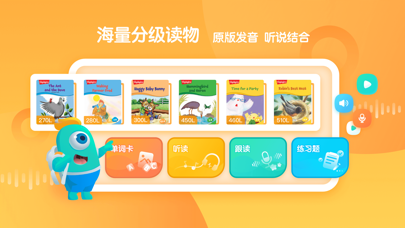
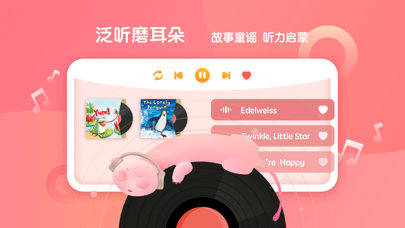
产品介绍 (一)新东方分级阅读 国内首家与美国MetaMetrics®公司(蓝思测试母公司)共同研发的线上英文分级阅读平台,专注于为中小学生提供专业的英文分级阅读解决方案。 主要功能: 1、通过平台内置的蓝思在线测试,准确评估学生阅读能力,为学生制定个性化英语阅读方案。测试题目不重复,可多次进行,体现阶段进步。 2、提供听读、跟读、语音评测、单词练习、阅读理解题、泛听练习功能,并实时跟踪学生阅读数据, 形成个性化阅读报告和学习建议。 (二)产品特色 海量读物--2000本原版英文分级读物 蓝思测评--在线官方蓝思测试准确评定读者阅读能力 智能打分--智能实时口语评分,提示需练习内容 故事导读—新东方老师进行专业故事导读 泛听磨耳朵 – 故事童谣听力启蒙 (三) 内容体系 依据蓝思测评体系和中国学生二语阅读水平搭建了PreA、PreB、L1-L8共十个阅读级别,帮助孩子一步步实现从“阅读萌芽期”向“独立阅读期”的进阶和飞跃。
App details
What you can learn from 新东方小书童
Every shipping app on the App Store has gone through the same decisions you're working through right now: which screenshot goes first, what caption sits over it, which device frame to show, what color the background should be. The 3 screenshots above are 新东方小书童's answers to those questions — they're public, they're real, and they made it through Apple's review.
What the numbers say: 新东方小书童 runs a light set where the background shifts from screenshot to screenshot (first shot #FCB444) — each image has to stand on its own, so the captions carry more of the story. The accent colour we picked up, #0CD4FC, is the one to reuse for badges, arrows and highlighted words if you borrow this look. Hit Use this style to open the editor with these exact colours and drop your own screenshot in.
Notice the first screenshot in particular. It's the one users see in search results and on the product page, and it's where most apps spend their best caption and tightest design. Look at the proportion of background to phone, where the text sits, what one thing the image is trying to communicate.
Want to see how other Education apps approach the same problem? Browse more Education apps in the showcase.
Take what works into your own screenshots
Open LaunchShots and design your App Store & Google Play screenshots — pick a device frame, drop captions, ship in minutes. Free, in your browser.
Open the screenshot editor →Apps with a similar look
Closest background + accent colours among the listings we've analysed — useful when you want to see the same palette handled by a different team.