Chart position — tracked daily by LaunchShots
Screenshot changes — detected by LaunchShots
Screenshot style breakdown
Sampled from 6 of MAKE by KBank แอปจัดการเงิน's App Store screenshots — background, accent and theme, measured by LaunchShots (not something Apple publishes).
#FCFCFC bg
#DDDDDD
#5CCCD4 accent
#111111 text
Screenshots




Icon palette
About this app
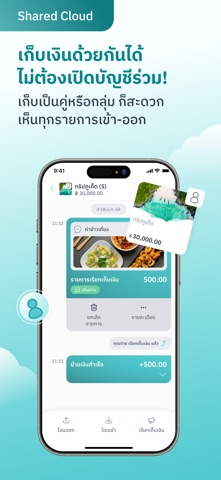
MAKE by KBank แอปพลิเคชันที่รวมการจัดการเงินและการทำธุรกรรมไว้ครบจบในที่เดียว หนึ่งบัญชีแบ่งได้เป็นหลายกระเป๋าไม่จำกัด ไม่ต้องมีบัญชีธนาคารกสิกรก็สมัครได้ ครบทุกการทำธุรกรรม ไม่ว่าจะเป็นการฝาก ถอน โอน เติมเงิน จ่ายบิล สร้าง QR รับเงิน ผูกพร้อมเพย์ ก็ทำได้ ง่าย สะดวก Cloud Pocket ฟีเจอร์หลักที่จะช่วยให้การจัดการเงินง่ายขึ้น ตั้งเป้าหมาย ตั้งชื่อ ตั้งรูป ล็อก ชวนเพื่อนมาช่วยกันเก็บเงินได้ Cloud Pocket มีทั้งหมด 4 แบบ สามารถเลือกสร้างได้ตามการใช้งาน คลาสสิก : เหมาะสำหรับการจำกัดงบประมาณรายจ่าย แบ่งเงินใช้จ่ายออกเป็นรายวัน รายสัปดาห์ รายเดือน หรือวางแผนการใช้ได้ตามใจ เก็บเงินตามฝัน : คำนวนเงินที่ต้องเก็บในแต่ละเดือนให้อัตโนมัติตามเป้าหมายที่ตั้งไว้ สามารถใส่รูปและเพิ่มข้อความในกรอบโพลารอยด์ในทุกเดือนที่เก็บเงินถึงเป้า ช่วยให้มีกำลังใจในการเก็บเงิน ออมต่อเนื่อง : สร้างสถิติของตัวเอง บอกจำนวนวัน สัปดาห์ หรือเดือนที่เก็บเงินได้ต่อเนื่อง มาพร้อมกับฟีเจอร์ซ่อนยอดเงิน และการสะสมแสตมป์…
App details
What you can learn from MAKE by KBank แอปจัดการเงิน
Every shipping app on the App Store has gone through the same decisions you're working through right now: which screenshot goes first, what caption sits over it, which device frame to show, what color the background should be. The 9 screenshots above are MAKE by KBank แอปจัดการเงิน's answers to those questions — they're public, they're real, and they made it through Apple's review.
What the numbers say: MAKE by KBank แอปจัดการเงิน runs a light set with one background colour (#FCFCFC) carried across every screenshot — the listing reads as a single poster when the shots sit side by side in search results. The accent colour we picked up, #5CCCD4, is the one to reuse for badges, arrows and highlighted words if you borrow this look. Hit Use this style to open the editor with these exact colours and drop your own screenshot in.
Notice the first screenshot in particular. It's the one users see in search results and on the product page, and it's where most apps spend their best caption and tightest design. Look at the proportion of background to phone, where the text sits, what one thing the image is trying to communicate.
Want to see how other Finance apps approach the same problem? Browse more Finance apps in the showcase.
Take what works into your own screenshots
Open LaunchShots and design your App Store & Google Play screenshots — pick a device frame, drop captions, ship in minutes. Free, in your browser.
Open the screenshot editor →Apps with a similar look
Closest background + accent colours among the listings we've analysed — useful when you want to see the same palette handled by a different team.