Chart position — tracked daily by LaunchShots
Screenshot changes — detected by LaunchShots
Screenshot style breakdown
Sampled from 6 of GPS测速仪 - 速度表's App Store screenshots — background, accent and theme, measured by LaunchShots (not something Apple publishes).
#F4F4F4 bg
#D6D6D6
#34EC04 accent
#111111 text
Screenshots



Icon palette
About this app
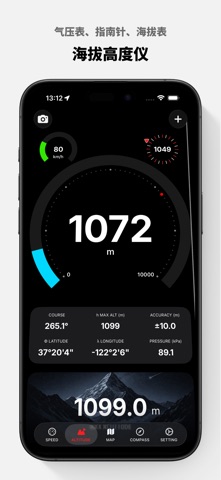
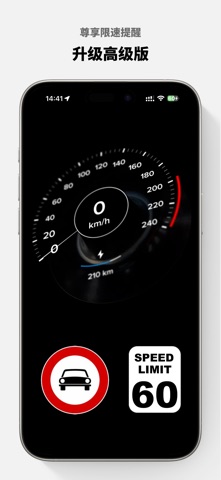
GPS测速仪 - 跟踪您的速度和行程! 您是冒险爱好者或热衷于追踪速度和行程的人吗?不用再寻找了!GPS测速仪是您追踪速度和行程的完美伴侣。利用强大的定位算法,GPS测速仪提供了丰富多样的数据,包括纬度、经度、速度、海拔、航向、日出、日落、加速度、距离等,为您带来终极的导航和跟踪体验。 • 主要功能: 1. 实时速度显示:无论您偏好英里每小时(MPH)、每小时公里数(KM/H)还是节(KNOTS),GPS测速仪都能满足您的需求!轻松切换不同速度单位,以适应您的个人喜好和方便使用。 2. 数字速度表与HUD:通过数字速度表显示,随时了解您的当前速度。如果您喜欢更便捷的显示方式,抬头显示(HUD)模式可将速度直接投射到挡风玻璃上,确保您在查看重要信息时保持对路面的注意。 3. 跟踪行程距离:通过跟踪您的行程,轻松掌握您的旅程距离。无论您是在乡村骑行还是在高速公路驾驶,GPS测速仪都会准确记录您的行程距离。 4. 指南针显示:通过内置指南针,始终找到您的真北。无论您是在探索新城市还是徒步穿越荒野,指南针都会指引您走向正确的方向。 5. 高度计,海拔跟…
App details
What you can learn from GPS测速仪 - 速度表
Every shipping app on the App Store has gone through the same decisions you're working through right now: which screenshot goes first, what caption sits over it, which device frame to show, what color the background should be. The 8 screenshots above are GPS测速仪 - 速度表's answers to those questions — they're public, they're real, and they made it through Apple's review.
What the numbers say: GPS测速仪 - 速度表 runs a light set with one background colour (#F4F4F4) carried across every screenshot — the listing reads as a single poster when the shots sit side by side in search results. The accent colour we picked up, #34EC04, is the one to reuse for badges, arrows and highlighted words if you borrow this look. Hit Use this style to open the editor with these exact colours and drop your own screenshot in.
Notice the first screenshot in particular. It's the one users see in search results and on the product page, and it's where most apps spend their best caption and tightest design. Look at the proportion of background to phone, where the text sits, what one thing the image is trying to communicate.
Want to see how other Navigation apps approach the same problem? Browse more Navigation apps in the showcase.
Take what works into your own screenshots
Open LaunchShots and design your App Store & Google Play screenshots — pick a device frame, drop captions, ship in minutes. Free, in your browser.
Open the screenshot editor →Apps with a similar look
Closest background + accent colours among the listings we've analysed — useful when you want to see the same palette handled by a different team.