Chart position — tracked daily by LaunchShots
Screenshot changes — detected by LaunchShots
Screenshot style breakdown
Sampled from 6 of Yom!青空文庫's App Store screenshots — background, accent and theme, measured by LaunchShots (not something Apple publishes).
#FCFCFC bg
#DDDDDD
#2C7CB4 accent
#111111 text
Reading the caption text from the screenshots in your browser…
Screenshots



iPad screenshots



Icon palette
About this app
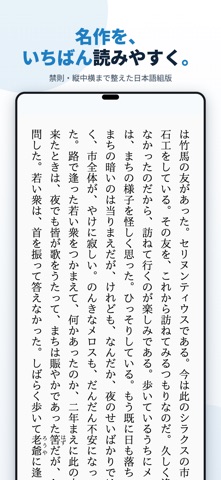
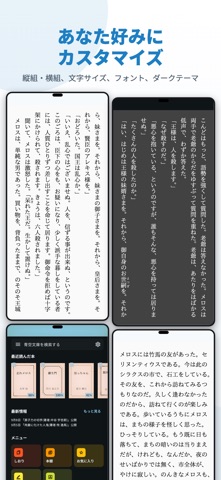
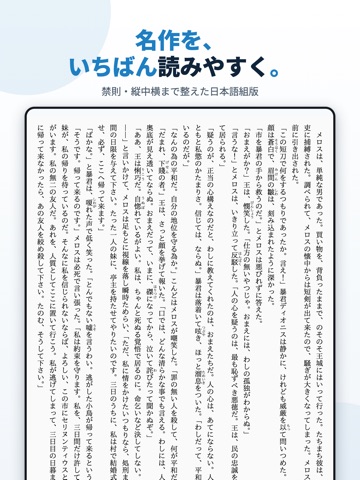
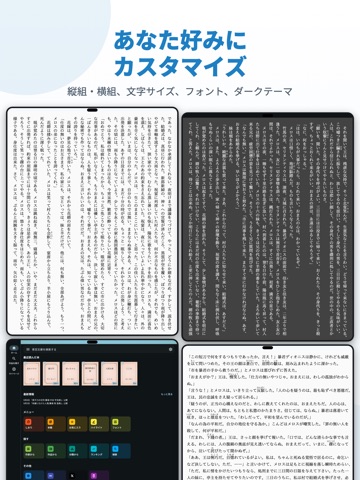
『Yom!青空文庫』は、いつでもどこでも手軽に名作が読めるアプリです。青空文庫の作品を無料で読むことができ、夏目漱石、芥川竜之介、太宰治など、900以上の作家による17,000以上の作品を楽しめます。 このアプリは、読書体験を快適にするための様々な機能を備えています。 ・縦組み・横組みの選択や、文字サイズ、行間、余白の調整など、自分好みの表示にカスタマイズ可能 ・しおり機能やお気に入り登録で、読みかけの作品や好きな作品をすぐに開ける ・作品検索や作家検索、分類別の選択で目的の作品を素早く見つけられる ・読了ページ数の表示で、どれくらい読み進めたかが一目でわかる ユーザーの皆様からも、使い勝手の良さを高く評価いただいています。 「おそらく今までで一番使い勝手の良い青空文庫ビュアーである」 「横読みに出来るのが便利で助かってます!」 「素晴らしいアプリを提供していただいてありがとうございます。」 さらに、プレミアムプランに登録いただくと、広告なしで快適に読書を楽しめます。 ■ プレミアムプラン(1ヶ月) ・広告…
App details
What you can learn from Yom!青空文庫
Every shipping app on the App Store has gone through the same decisions you're working through right now: which screenshot goes first, what caption sits over it, which device frame to show, what color the background should be. The 12 screenshots above are Yom!青空文庫's answers to those questions — they're public, they're real, and they made it through Apple's review.
What the numbers say: Yom!青空文庫 runs a light set with one background colour (#FCFCFC) carried across every screenshot — the listing reads as a single poster when the shots sit side by side in search results. The accent colour we picked up, #2C7CB4, is the one to reuse for badges, arrows and highlighted words if you borrow this look. Hit Use this style to open the editor with these exact colours and drop your own screenshot in.
Notice the first screenshot in particular. It's the one users see in search results and on the product page, and it's where most apps spend their best caption and tightest design. Look at the proportion of background to phone, where the text sits, what one thing the image is trying to communicate.
Want to see how other Book apps approach the same problem? Browse more Book apps in the showcase.
Take what works into your own screenshots
Open LaunchShots and design your App Store & Google Play screenshots — pick a device frame, drop captions, ship in minutes. Free, in your browser.
Open the screenshot editor →Apps with a similar look
Closest background + accent colours among the listings we've analysed — useful when you want to see the same palette handled by a different team.