Chart position — tracked daily by LaunchShots
Screenshot style breakdown
Sampled from 4 of かんたん動画圧縮 - リサイズやファイル形式の変換's App Store screenshots — background, accent and theme, measured by LaunchShots (not something Apple publishes).
#FCFCFC bg
#DDDDDD
#FC3C34 accent
#111111 text
Reading the caption text from the screenshots in your browser…
Screenshots


Icon palette
About this app
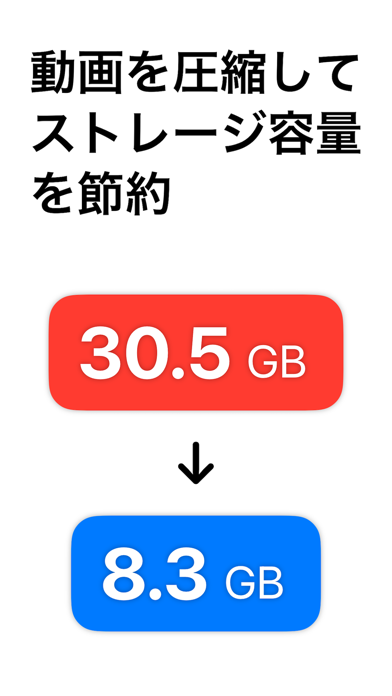
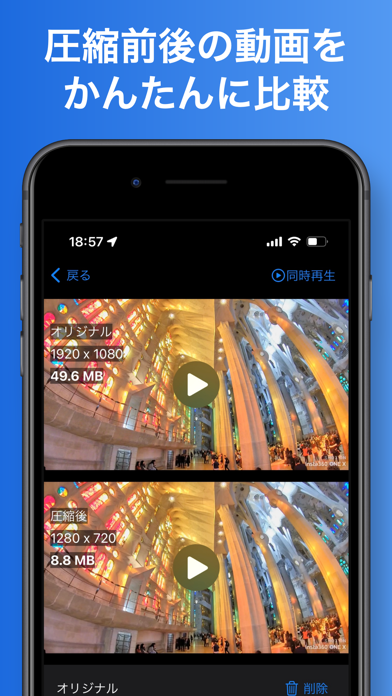
「かんたん動画圧縮」は、iPhone・iPadで動画の容量を小さくできる動画圧縮アプリです。 10MB・25MB・50MBの目標サイズ、または好みの画質を選んで圧縮。 メールやチャットでの共有、アップロード上限に合わせた容量調整、ストレージの節約に役立ちます。 圧縮は端末内で行い、処理のための動画アップロードは不要です。 無料版では、動画を1本ずつ、目標サイズまたは画質を選んで圧縮できます。まとめて圧縮や細かな設定はPro版(買い切り)で利用できます。 ■ 動画の容量削減・メール添付・SNSへのアップロードに ・「ストレージの空き容量がありません」と表示される ・子どもやペットの動画で写真ライブラリがいっぱい ・動画が重すぎてメールに添付できない、LINEやDiscordで送れない ・提出フォームやSNSのアップロード上限に引っかかる ・4K動画の容量を減らして保存しておきたい ・H.264をHEVC(H.265)に変換したい ・MOVをMP4に変換したい(Pro版) ■ 目標サイズを選ぶだけで圧縮(サイズ指定モード) 「10MB」「25MB」「50MB」から目標サイズを選ぶと、…
App details
What you can learn from かんたん動画圧縮 - リサイズやファイル形式の変換
Every shipping app on the App Store has gone through the same decisions you're working through right now: which screenshot goes first, what caption sits over it, which device frame to show, what color the background should be. The 4 screenshots above are かんたん動画圧縮 - リサイズやファイル形式の変換's answers to those questions — they're public, they're real, and they made it through Apple's review.
What the numbers say: かんたん動画圧縮 - リサイズやファイル形式の変換 runs a mixed light-and-dark set where the background shifts from screenshot to screenshot (first shot #FCFCFC) — each image has to stand on its own, so the captions carry more of the story. The accent colour we picked up, #FC3C34, is the one to reuse for badges, arrows and highlighted words if you borrow this look. Hit Use this style to open the editor with these exact colours and drop your own screenshot in.
Notice the first screenshot in particular. It's the one users see in search results and on the product page, and it's where most apps spend their best caption and tightest design. Look at the proportion of background to phone, where the text sits, what one thing the image is trying to communicate.
Want to see how other Photo & Video apps approach the same problem? Browse more Photo & Video apps in the showcase.
Take what works into your own screenshots
Open LaunchShots and design your App Store & Google Play screenshots — pick a device frame, drop captions, ship in minutes. Free, in your browser.
Open the screenshot editor →Apps with a similar look
Closest background + accent colours among the listings we've analysed — useful when you want to see the same palette handled by a different team.