Screenshot style breakdown
Sampled from 5 of CieSign's App Store screenshots — background, accent and theme, measured by LaunchShots (not something Apple publishes).
#FCFCFC bg
#DDDDDD
#146CBC accent
#111111 text
Screenshots



Icon palette
About this app
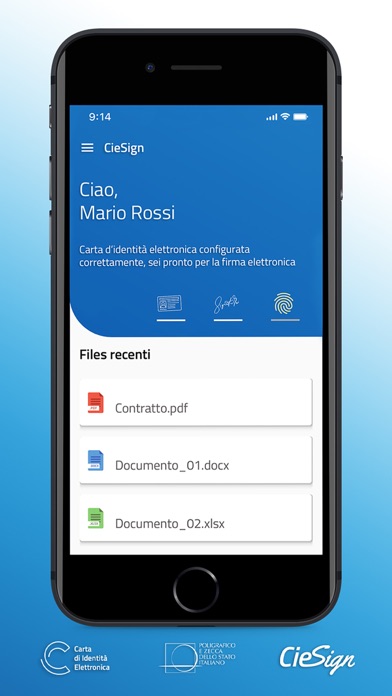
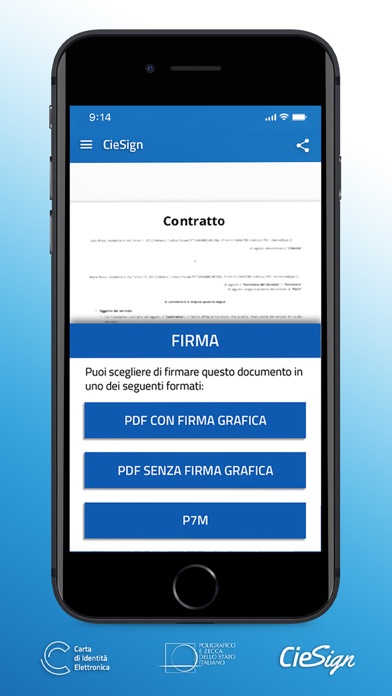
CieSign è l’app sviluppata dal Poligrafico e Zecca dello Stato Italiano per apporre la firma elettronica avanzata (FEA) sui documenti con la Carta d’Identità Elettronica (CIE). L’art. 61 del DPCM del 22 febbraio 2013 consente l’utilizzo della CIE come strumento di firma elettronica avanzata per i servizi e le attività della pubblica amministrazione. La CIE inoltre, ampiamente utilizzata come metodo di identificazione forte per l’autenticazione ai servizi della pubblica amministrazione, soddisfa pienamente i requisiti minimi stabiliti per la FEA e può essere utilizzata anche come strumento di firma elettronica tra privati nei limiti di legge. Al primo avvio dell’App registra la tua CIE inserendo il PIN e avvicinando la carta al dispositivo in uso. Da questo momento, una procedura guidata ti consentirà di firmare agevolmente i tuoi documenti elettronici ogni volta che vorrai: -SELEZION…
App details
What you can learn from CieSign
Every shipping app on the App Store has gone through the same decisions you're working through right now: which screenshot goes first, what caption sits over it, which device frame to show, what color the background should be. The 5 screenshots above are CieSign's answers to those questions — they're public, they're real, and they made it through Apple's review.
What the numbers say: CieSign runs a light set with one background colour (#FCFCFC) carried across every screenshot — the listing reads as a single poster when the shots sit side by side in search results. The accent colour we picked up, #146CBC, is the one to reuse for badges, arrows and highlighted words if you borrow this look. Hit Use this style to open the editor with these exact colours and drop your own screenshot in.
Notice the first screenshot in particular. It's the one users see in search results and on the product page, and it's where most apps spend their best caption and tightest design. Look at the proportion of background to phone, where the text sits, what one thing the image is trying to communicate.
Want to see how other Utilities apps approach the same problem? Browse more Utilities apps in the showcase.
Take what works into your own screenshots
Open LaunchShots and design your App Store & Google Play screenshots — pick a device frame, drop captions, ship in minutes. Free, in your browser.
Open the screenshot editor →Apps with a similar look
Closest background + accent colours among the listings we've analysed — useful when you want to see the same palette handled by a different team.