Chart position — tracked daily by LaunchShots
Screenshot changes — detected by LaunchShots
Screenshot style breakdown
Sampled from 6 of Ощад's App Store screenshots — background, accent and theme, measured by LaunchShots (not something Apple publishes).
#346CFC bg
#5080FC
#24CCC4 accent
#FFFFFF text
Reading the caption text from the screenshots in your browser…
Screenshots


iPad screenshots


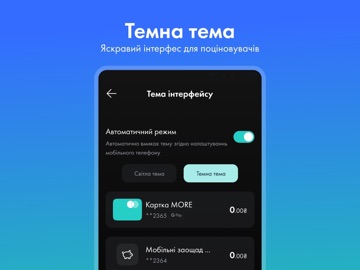
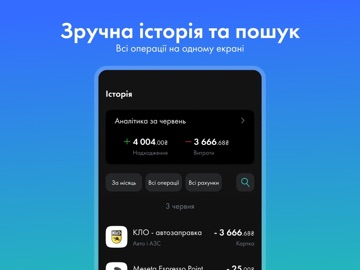
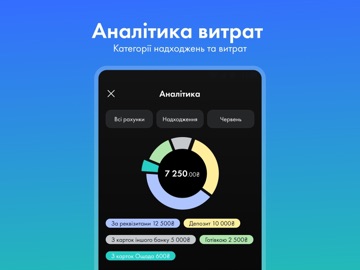

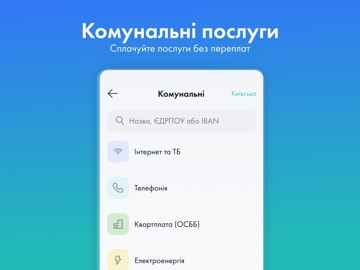
Icon palette
About this app
Ощадбанк запустив абсолютно новий додаток – Мобільний Ощад. Зараз це нова версія. Ми хочемо дати нашим клієнтам можливість скористатись новим додатком, щоб отримати зворотний зв'язок. Ми будемо регулярно оновлювати Мобільний Ощад, щоб зробити його максимально зручним та функціональним. Мобільний Ощад – вже має майже всі сервіси, які були в попередньому додатку. Все зручно, просто, швидко. За чашкою кави чи на дивані відкривайте і поповнюйте депозити, погашайте кредити, переказуйте гроші, сплачуйте за комунальні та інші послуги, керуйте картками, рахунками та налаштовуйте додаток під себе. А ми поступово будемо наповнювати додаток новим функціоналом. Чому новий додаток? Мобільний Ощад – простий та зрозумілий, ближчий ніж найближче відділення, вміє все тільки готівку не видає. Додаток працює набагато швидше, ніж попередній. Тут реально немає черг та перерви на обід. Звичні послуги в нов…
App details
What you can learn from Ощад
Every shipping app on the App Store has gone through the same decisions you're working through right now: which screenshot goes first, what caption sits over it, which device frame to show, what color the background should be. The 15 screenshots above are Ощад's answers to those questions — they're public, they're real, and they made it through Apple's review.
What the numbers say: Ощад runs a mixed light-and-dark set where the background shifts from screenshot to screenshot (first shot #346CFC) — each image has to stand on its own, so the captions carry more of the story. The accent colour we picked up, #24CCC4, is the one to reuse for badges, arrows and highlighted words if you borrow this look. Hit Use this style to open the editor with these exact colours and drop your own screenshot in.
Notice the first screenshot in particular. It's the one users see in search results and on the product page, and it's where most apps spend their best caption and tightest design. Look at the proportion of background to phone, where the text sits, what one thing the image is trying to communicate.
Want to see how other Finance apps approach the same problem? Browse more Finance apps in the showcase.
Take what works into your own screenshots
Open LaunchShots and design your App Store & Google Play screenshots — pick a device frame, drop captions, ship in minutes. Free, in your browser.
Open the screenshot editor →Apps with a similar look
Closest background + accent colours among the listings we've analysed — useful when you want to see the same palette handled by a different team.