Screenshot style breakdown
Sampled from 5 of BetNetix - 投注's App Store screenshots — background, accent and theme, measured by LaunchShots (not something Apple publishes).
#343C3C bg
#505757
#FCEC04 accent
#FFFFFF text
Screenshots


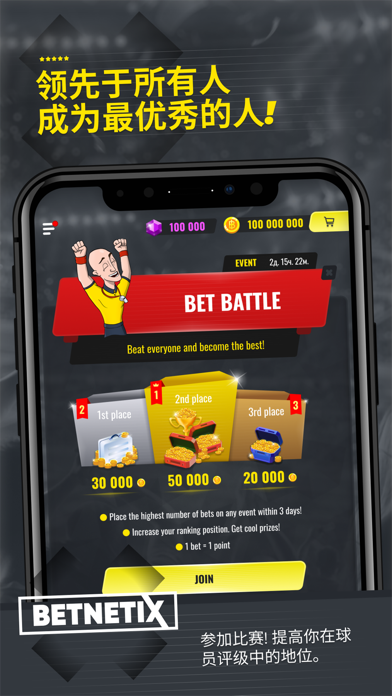


iPad screenshots


Icon palette
About this app
我们的体育博彩应用程序将允许你在你最喜欢的球队、体育赛事上下注,而无需使用真实的资金。BetNetix为您提供最新的赔率,超过15种体育项目,实时投注,没有丝毫经济损失的风险 感受真正的刺激,同时保证你的钱包安全。 体育是真实的! 在这里,用户只能找到当前的事件。你可以实时跟踪它们。你可以查看统计资料,其中包含关于比赛、球队状态、最近五场比赛的进展、每场比赛的射门次数、犯规和球队阵容的有用信息。 该应用程序中有超过15种运动:传统足球、排球、曲棍球、网球、所有类型的摔跤、MMA等,以及电子竞技(反恐精英、Dota等)。 只有经过验证的投注赔率 该应用程序在真实赔率的基础上工作。真正的博彩公司所使用的赔率是完全相同的。因此,BetNetix重现了真正的体育博彩游戏,充分体验到可能的风险、胜利的喜悦和失败的经历。所有的情绪都与真实的投注一样,只是没有真实的金钱。 它是如何运作的 进入游戏后,用户会收到一定数量的游戏币到应用程序的个人账户中。在它的帮助下,你可以对所有类型的事件进行任何形式的投注。找到你需要的东西很容易 - 该…
App details
What you can learn from BetNetix - 投注
Every shipping app on the App Store has gone through the same decisions you're working through right now: which screenshot goes first, what caption sits over it, which device frame to show, what color the background should be. The 10 screenshots above are BetNetix - 投注's answers to those questions — they're public, they're real, and they made it through Apple's review.
What the numbers say: BetNetix - 投注 runs a dark set with one background colour (#343C3C) carried across every screenshot — the listing reads as a single poster when the shots sit side by side in search results. The accent colour we picked up, #FCEC04, is the one to reuse for badges, arrows and highlighted words if you borrow this look. Hit Use this style to open the editor with these exact colours and drop your own screenshot in.
Notice the first screenshot in particular. It's the one users see in search results and on the product page, and it's where most apps spend their best caption and tightest design. Look at the proportion of background to phone, where the text sits, what one thing the image is trying to communicate.
Want to see how other Sports apps approach the same problem? Browse more Sports apps in the showcase.
Take what works into your own screenshots
Open LaunchShots and design your App Store & Google Play screenshots — pick a device frame, drop captions, ship in minutes. Free, in your browser.
Open the screenshot editor →Apps with a similar look
Closest background + accent colours among the listings we've analysed — useful when you want to see the same palette handled by a different team.