Chart position — tracked daily by LaunchShots
Screenshot changes — detected by LaunchShots
Screenshot style breakdown
Sampled from 6 of QR コード読み取りアプリ-バーコードリーダー・QR Now's App Store screenshots — background, accent and theme, measured by LaunchShots (not something Apple publishes).
#FCECE4 bg
#DDCFC8
#EC7C5C accent
#111111 text
Screenshots


Icon palette
About this app
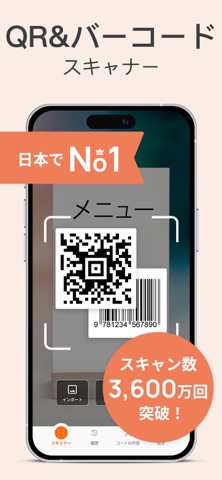
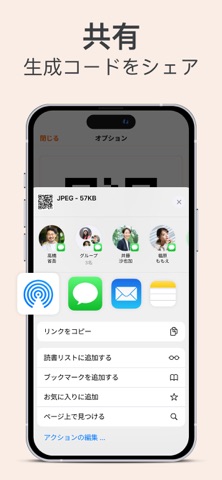
QRコードやバーコードをすばやくスキャン— 100%無料*****。製品管理用カスタムQRやバーコードを作成して共有し、URLを開いたり、Wi-Fiにアクセスしたり、データを表示したりします。 今後の参考できるようにコードを保存し、数回クリックするだけで簡単にエクスポートできます。QR Nowをダウンロードして、いつでもどこでも、あらゆるコードから役立つ情報を入手してください。 ◉ 無料機能: √何でもスキャン QRまたはバーコードをスキャンする最も速くて簡単な方法。 ユーザーフレンドリーなデザインとアプリのナビゲーションシステム。 カメラ、メディアライブラリを使用するか、コードのシリアル番号を入力して、QRコードとバーコードをスキャンします。 √コードを作成します Wi-Fi、電子メール、URL、電話、メッセージ、VCard、meCard、テキストなどの新しいパーソナライズされたQRを作成します。 以下のタイプのパーソナライズバーコードを作成:EAN-13、EAN-8、UPC-AおよびUPC-E。 √すべての情報を入手 栄養の詳細、割引、価格設定履歴、電話番号、…
App details
What you can learn from QR コード読み取りアプリ-バーコードリーダー・QR Now
Every shipping app on the App Store has gone through the same decisions you're working through right now: which screenshot goes first, what caption sits over it, which device frame to show, what color the background should be. The 7 screenshots above are QR コード読み取りアプリ-バーコードリーダー・QR Now's answers to those questions — they're public, they're real, and they made it through Apple's review.
What the numbers say: QR コード読み取りアプリ-バーコードリーダー・QR Now runs a light set with one background colour (#FCECE4) carried across every screenshot — the listing reads as a single poster when the shots sit side by side in search results. The accent colour we picked up, #EC7C5C, is the one to reuse for badges, arrows and highlighted words if you borrow this look. Hit Use this style to open the editor with these exact colours and drop your own screenshot in.
Notice the first screenshot in particular. It's the one users see in search results and on the product page, and it's where most apps spend their best caption and tightest design. Look at the proportion of background to phone, where the text sits, what one thing the image is trying to communicate.
Want to see how other Utilities apps approach the same problem? Browse more Utilities apps in the showcase.
Take what works into your own screenshots
Open LaunchShots and design your App Store & Google Play screenshots — pick a device frame, drop captions, ship in minutes. Free, in your browser.
Open the screenshot editor →Apps with a similar look
Closest background + accent colours among the listings we've analysed — useful when you want to see the same palette handled by a different team.