Chart position — tracked daily by LaunchShots
Screenshot style breakdown
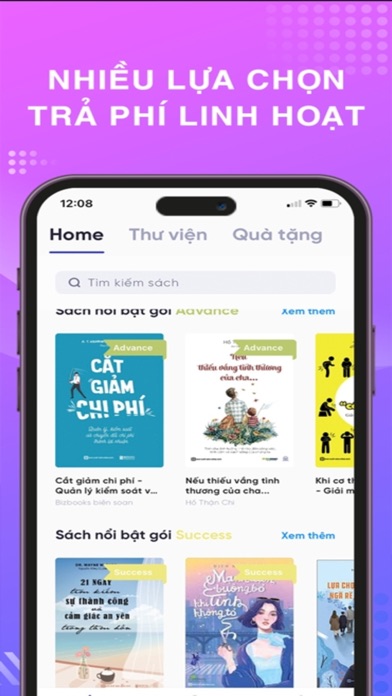
Sampled from 5 of Biboo: Sách nói & ebook's App Store screenshots — background, accent and theme, measured by LaunchShots (not something Apple publishes).
#E464FC bg
#E779FC
#2494BC accent
#FFFFFF text
Screenshots


Icon palette
About this app
Biboo là ứng dụng mua bán sách giấy. Kho sách tại Biboo rất đáng để bạn tiếp cận. Danh mục sách được sắp xếp theo hạng mục sách bán chạy nhất, theo tác giả, hoặc đề xuất những đầu sách dành riêng cho bạn. Nhờ vậy, bạn có thể tìm kiếm dễ dàng, hoặc nhận được những đề xuất tốt nhất cho sở thích của mình từ kho sách chứa đến hàng triệu đầu sách tuyển chọn giúp người dùng tiếp cận với loạt sách mới phát hành, các sách bán chạy và sách của tác giả nổi tiếng. Nhờ vào giao diện thông minh, dễ sử dụng và quản lý, Biboo trở thành công cụ hỗ trợ đắc lực cho những ai đam mê đọc sách. You may purchase an auto-renewing subscription through an In-App Purchase. • Auto-renewable subscription • 1 month period Family Package (99,000 VND) • Your subscription will be charged to your iTunes account at confirmation of purchase and will automatically renew (at the duration selected) unless auto-renew i…
App details
What you can learn from Biboo: Sách nói & ebook
Every shipping app on the App Store has gone through the same decisions you're working through right now: which screenshot goes first, what caption sits over it, which device frame to show, what color the background should be. The 5 screenshots above are Biboo: Sách nói & ebook's answers to those questions — they're public, they're real, and they made it through Apple's review.
What the numbers say: Biboo: Sách nói & ebook runs a mixed light-and-dark set where the background shifts from screenshot to screenshot (first shot #E464FC) — each image has to stand on its own, so the captions carry more of the story. The accent colour we picked up, #2494BC, is the one to reuse for badges, arrows and highlighted words if you borrow this look. Hit Use this style to open the editor with these exact colours and drop your own screenshot in.
Notice the first screenshot in particular. It's the one users see in search results and on the product page, and it's where most apps spend their best caption and tightest design. Look at the proportion of background to phone, where the text sits, what one thing the image is trying to communicate.
Want to see how other Book apps approach the same problem? Browse more Book apps in the showcase.
Take what works into your own screenshots
Open LaunchShots and design your App Store & Google Play screenshots — pick a device frame, drop captions, ship in minutes. Free, in your browser.
Open the screenshot editor →Apps with a similar look
Closest background + accent colours among the listings we've analysed — useful when you want to see the same palette handled by a different team.