Chart position — tracked daily by LaunchShots
Screenshot style breakdown
Sampled from 6 of PLUG(プラグ) 入れておくだけで安くお買い物できるアプリ's App Store screenshots — background, accent and theme, measured by LaunchShots (not something Apple publishes).
#FCFCFC bg
#DDDDDD
#2464EC accent
#111111 text
Screenshots


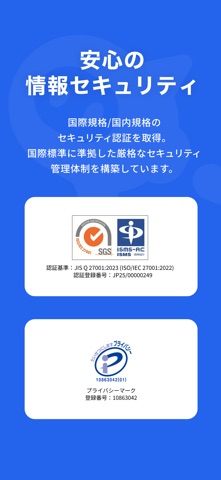
iPad screenshots

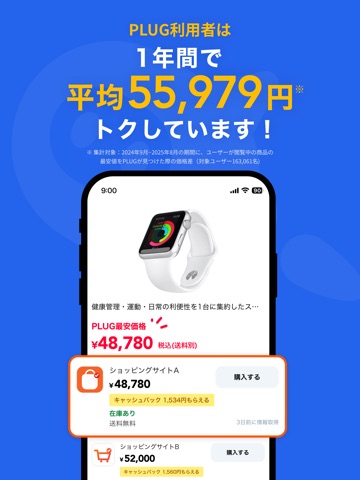
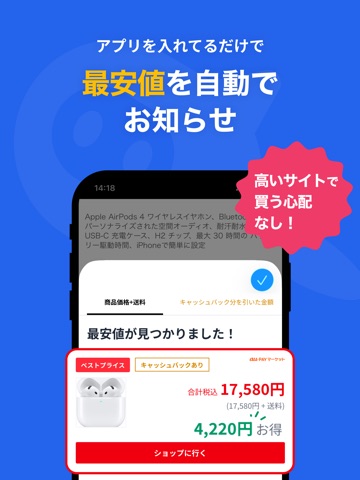


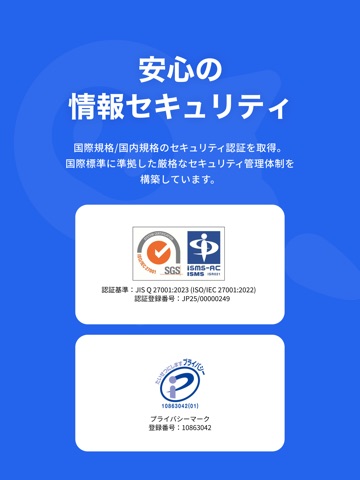
Icon palette
About this app
PLUGは、「節約したいけど、調べるのは面倒…」「忙しくてポイ活する時間がない…」「少しでもお得に納得できる買い物がしたい!」 そんな方にぴったりの、"損しないお買い物"をサポートするアプリです。 「あれ買わないと。」「これ欲しいなあ。」 日々の様々なお買い物って、なんだかんだ疲れますよね。 数百円から一万円を超えるお買い物まで様々だけど、 何を買うでも、安くていいものを、できるだけ安いサイトで買いたいし、 でも商品もサイトもありすぎて、比べてみてもよくわからないし、調べてるうちによくわかんなくなっちゃって 時間もないから、無駄に高い買い物しちゃったり、結局買えなかったり。。 そんな日頃のお買い物の悩みを解決するのがPLUGです! PLUGは、豊富なサイトから商品の値段を比較して、自動で最安値を教えてくれるアプリ! ネット上で商品を調べていると、主要ECサイトと自動で価格を比較もしてくれて、最安値候補を瞬時に表示してくれるんです。 さらにこれだけじゃなくて、"もっと凄いのが" PLUGで価格比較をしているだけなのに、…
App details
What you can learn from PLUG(プラグ) 入れておくだけで安くお買い物できるアプリ
Every shipping app on the App Store has gone through the same decisions you're working through right now: which screenshot goes first, what caption sits over it, which device frame to show, what color the background should be. The 18 screenshots above are PLUG(プラグ) 入れておくだけで安くお買い物できるアプリ's answers to those questions — they're public, they're real, and they made it through Apple's review.
What the numbers say: PLUG(プラグ) 入れておくだけで安くお買い物できるアプリ runs a mixed light-and-dark set where the background shifts from screenshot to screenshot (first shot #FCFCFC) — each image has to stand on its own, so the captions carry more of the story. The accent colour we picked up, #2464EC, is the one to reuse for badges, arrows and highlighted words if you borrow this look. Hit Use this style to open the editor with these exact colours and drop your own screenshot in.
Notice the first screenshot in particular. It's the one users see in search results and on the product page, and it's where most apps spend their best caption and tightest design. Look at the proportion of background to phone, where the text sits, what one thing the image is trying to communicate.
Want to see how other Shopping apps approach the same problem? Browse more Shopping apps in the showcase.
Take what works into your own screenshots
Open LaunchShots and design your App Store & Google Play screenshots — pick a device frame, drop captions, ship in minutes. Free, in your browser.
Open the screenshot editor →Apps with a similar look
Closest background + accent colours among the listings we've analysed — useful when you want to see the same palette handled by a different team.