Screenshots


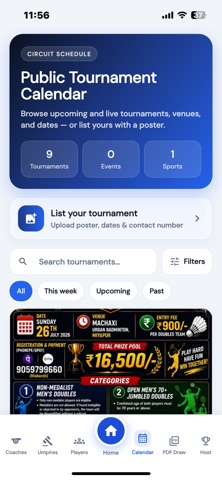
iPad screenshots


Icon palette
About this app
Pro Tourny is the all-in-one app to run and join sports tournaments — from registration and draws to live scores and final results. Whether you organise badminton, tennis, padel, pickleball, table tennis, or other sports, Pro Tourny helps you manage the full tournament journey in one place. FOR TOURNAMENT ORGANISERS • Create and publish multi-sport tournaments • Set registration dates, fees, and payment options • Generate fair draws — knockout, round robin, and hybrid formats • Build schedules, assign courts, and manage matches • Track live scores and share results with players and spectators • Manage players, payments, brackets, and winner photos • Print brackets and export PDF draw sheets FOR PLAYERS • Discover upcoming tournaments near you • Register online for singles, doubles, and team events • Follow live scores and tournament results • View draws, players, and event details • …
App details
What you can learn from Pro Tourny – Tournament Draw
Every shipping app on the App Store has gone through the same decisions you're working through right now: which screenshot goes first, what caption sits over it, which device frame to show, what color the background should be. The 6 screenshots above are Pro Tourny – Tournament Draw's answers to those questions — they're public, they're real, and they made it through Apple's review.
Notice the first screenshot in particular. It's the one users see in search results and on the product page, and it's where most apps spend their best caption and tightest design. Look at the proportion of background to phone, where the text sits, what one thing the image is trying to communicate.
Want to see how other Sports apps approach the same problem? Browse more Sports apps in the showcase.
Take what works into your own screenshots
Open LaunchShots and design your App Store & Google Play screenshots — pick a device frame, drop captions, ship in minutes. Free, in your browser.
Open the screenshot editor →