launchshots / showcase / food & drink / recime: recipes & meal planner

ReciMe: Recipes & Meal Planner

Food & Drink 4.8 (295,500) Free 17+ 234.1 MB

Chart position — tracked daily by LaunchShots

#6 of 100
Top Free Food & Drink · United States
best #6 · 12 days tracked · as of Sep 21
▲ 15 / 7d
#8 of 100
Top Free Food & Drink · South Africa
best #6 · 12 days tracked · as of Sep 21
▼ 2 / 7d
#15 of 100
Top Free Food & Drink · Canada
best #11 · 11 days tracked · as of Sep 21
▼ 4 / 7d
#17 of 100
Top Free Food & Drink · Brazil
best #14 · 12 days tracked · as of Sep 21
▼ 3 / 7d
#21 of 100
Top Free Food & Drink · Germany
best #16 · 13 days tracked · as of Sep 22
▼ 5 / 7d
+ 15 more charts

Screenshot changes — detected by LaunchShots

Sep 7, 2026
ReciMe: Recipes & Meal Planner replaced the screenshot images (same count, theme and layout).
Aug 23, 2026
ReciMe: Recipes & Meal Planner added 4 iPhone screenshots (6 → 10); moved to captions above the phone (was captions below the phone).

Screenshot style breakdown

Sampled from 6 of ReciMe: Recipes & Meal Planner's App Store screenshots — background, accent and theme, measured by LaunchShots (not something Apple publishes).

Use this style →
10 iPhone screenshots · 10 iPad Mixed light / dark Background changes per screenshot
#4C8CE4 bg #659CE7 #FCBC1C accent #FFFFFF text

Reading the caption text from the screenshots in your browser…

vs. Food & Drink apps we've analysed (3062): 50% use a light theme; 38% put the caption above the phone (same here); the average set has 5.5 screenshots — ReciMe: Recipes & Meal Planner ships 10. Full Food & Drink benchmark →

Screenshots

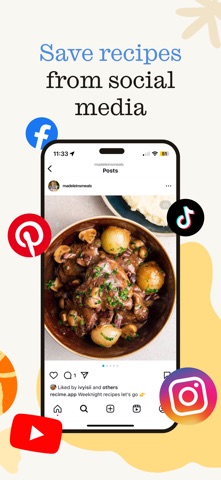
#1 ReciMe: Recipes & Meal Planner iPhone screenshot 1
#2 ReciMe: Recipes & Meal Planner iPhone screenshot 2
#3 ReciMe: Recipes & Meal Planner iPhone screenshot 3
#4 ReciMe: Recipes & Meal Planner iPhone screenshot 4
#5 ReciMe: Recipes & Meal Planner iPhone screenshot 5
#6 ReciMe: Recipes & Meal Planner iPhone screenshot 6
#7 ReciMe: Recipes & Meal Planner iPhone screenshot 7
#8 ReciMe: Recipes & Meal Planner iPhone screenshot 8
#9 ReciMe: Recipes & Meal Planner iPhone screenshot 9
#10 ReciMe: Recipes & Meal Planner iPhone screenshot 10

iPad screenshots

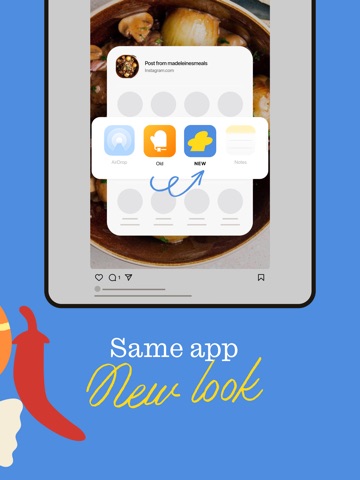
#1 ReciMe: Recipes & Meal Planner iPad screenshot 1
#2 ReciMe: Recipes & Meal Planner iPad screenshot 2
#3 ReciMe: Recipes & Meal Planner iPad screenshot 3
#4 ReciMe: Recipes & Meal Planner iPad screenshot 4
#5 ReciMe: Recipes & Meal Planner iPad screenshot 5
#6 ReciMe: Recipes & Meal Planner iPad screenshot 6
#7 ReciMe: Recipes & Meal Planner iPad screenshot 7
#8 ReciMe: Recipes & Meal Planner iPad screenshot 8
#9 ReciMe: Recipes & Meal Planner iPad screenshot 9
#10 ReciMe: Recipes & Meal Planner iPad screenshot 10

Icon palette

extracting…
Dominant colors sampled from the icon — click any swatch to copy the hex.

About this app

The number 1 recipe organizer. ReciMe saves all your favorite recipes in one place, including Instagram, Facebook, TikTok, YouTube and Pinterest. Create grocery lists and meal plans. Calculate calories for every recipe. However you cook, ReciMe helps you do it, better. FEATURES - Save Recipes from Instagram, Facebook, TikTok, YouTube and Pinterest - Download recipes from social media sites. The ingredients and method steps are saved in an easy-to-read format. - Upload recipes from anywhere - Save your favorite recipes from your existing apps like Notes app, Google Docs, Notion, Evernote, and more! Or add your own recipes. - Grocery Lists - Create smart grocery lists to shop faster! Sort ingredients by supermarket aisle or by recipe. - Order Groceries - Turn your grocery list into a delivery! Order directly in-app and get ingredients to your door. - Meal Plan for the Week - Categorize …

App details

Bundle ID
com.recime.app
Latest version
7.1.0
Released
Nov 12, 2021
Last updated
Sep 19, 2026
Languages
5 (EN, FR, DE, PT, ES)
Genres
Food & Drink, Social Networking

What you can learn from ReciMe: Recipes & Meal Planner

Every shipping app on the App Store has gone through the same decisions you're working through right now: which screenshot goes first, what caption sits over it, which device frame to show, what color the background should be. The 20 screenshots above are ReciMe: Recipes & Meal Planner's answers to those questions — they're public, they're real, and they made it through Apple's review.

What the numbers say: ReciMe: Recipes & Meal Planner runs a mixed light-and-dark set where the background shifts from screenshot to screenshot (first shot #4C8CE4) — each image has to stand on its own, so the captions carry more of the story. The accent colour we picked up, #FCBC1C, is the one to reuse for badges, arrows and highlighted words if you borrow this look. Hit Use this style to open the editor with these exact colours and drop your own screenshot in.

Notice the first screenshot in particular. It's the one users see in search results and on the product page, and it's where most apps spend their best caption and tightest design. Look at the proportion of background to phone, where the text sits, what one thing the image is trying to communicate.

Want to see how other Food & Drink apps approach the same problem? Browse more Food & Drink apps in the showcase.

Take what works into your own screenshots

Open LaunchShots and design your App Store & Google Play screenshots — pick a device frame, drop captions, ship in minutes. Free, in your browser.

Open the screenshot editor →

Apps with a similar look

Closest background + accent colours among the listings we've analysed — useful when you want to see the same palette handled by a different team.

ilévia
#549CDC #FCCC1C
Gocrypto: Crypto Trading
#4CA4EC #FCBC0C
Min Fotboll (officiell)
#449CD4 #FCCC04
Quem sou eu? - CharadesApp
#4C84F4 #FCBC44
Guides for imo Video Chat Call
#4C84D4 #F49C34
Parallel App ~ Dual Accounts
#4C9CFC #FCCC1C

More Food & Drink apps

Latest from the blog

Guides
Claude Code Weekly Limit vs 5-Hour Lockout: Complete Usage & Reset Guide
Sep 22, 2026
Guides
When Does Claude Code Usage Reset? Complete Reset Schedule Guide
Sep 22, 2026
News
Google Play Policy Updates: A Monthly Compliance Routine
Sep 22, 2026
Guides
Using Device Frames in App Store Screenshots Responsibly
Sep 21, 2026
1 / 1
copied