Chart position — tracked daily by LaunchShots
Screenshot changes — detected by LaunchShots
Screenshot style breakdown
Sampled from 6 of Prompt 3's App Store screenshots — background, accent and theme, measured by LaunchShots (not something Apple publishes).
#141414 bg
#343434
#440C64 accent
#FFFFFF text
Screenshots

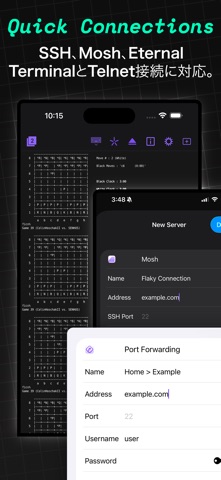


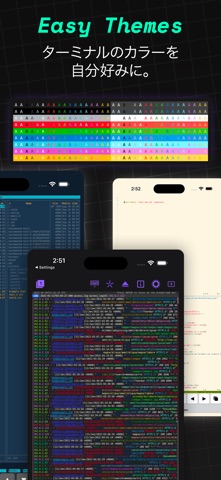
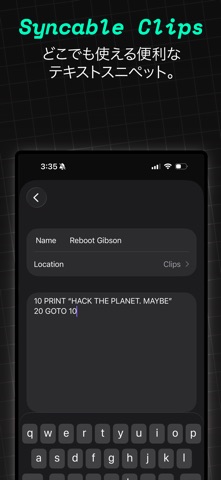
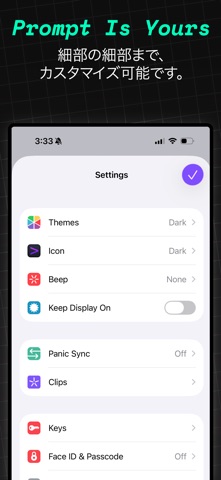
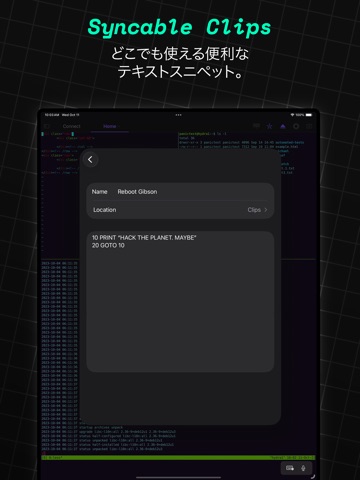
iPad screenshots



Icon palette
About this app
Prompt 3はMac、iPhone、iPad、そしてApple Vision Proにも対応した、今ベストな完全ネイティブ・ターミナルエミュレータです。1度の購入で4つのプラットフォームバージョンをご入手いただけます。 SSH、Mosh、Eternal Terminal、Telnet、ローカルシェル(Mac版のみ)に対応。不安定なネットワーク環境でも接続を保つことができます。またPanic Syncを利用して、サーバ設定をどこからでも同期できます。ターミナル作業においては、このアプリだけでほぼ十分と言えるでしょう。 改良を続け、さらに良くなりました: • SSH、Telnet、ローカルシェル(Mac版のみ) ホストへの堅牢で信頼性の高い接続を実現します。 • MoshとEternal Terminal たとえ切断されても、ターミナルを開いたままにしておくことが可能です。高レイテンシー、低スループットに最適化されたMoshと、不安定な接続でもターミナルの全履歴を保持できるEternal Terminalがご利用いただけます。 • 低価格 物価高の今だから、Promptを安くしました。資本主義への対抗です。 • 超高速エミュレーション…
App details
What you can learn from Prompt 3
Every shipping app on the App Store has gone through the same decisions you're working through right now: which screenshot goes first, what caption sits over it, which device frame to show, what color the background should be. The 14 screenshots above are Prompt 3's answers to those questions — they're public, they're real, and they made it through Apple's review.
What the numbers say: Prompt 3 runs a mixed light-and-dark set where the background shifts from screenshot to screenshot (first shot #141414) — each image has to stand on its own, so the captions carry more of the story. The accent colour we picked up, #440C64, is the one to reuse for badges, arrows and highlighted words if you borrow this look. Hit Use this style to open the editor with these exact colours and drop your own screenshot in.
Notice the first screenshot in particular. It's the one users see in search results and on the product page, and it's where most apps spend their best caption and tightest design. Look at the proportion of background to phone, where the text sits, what one thing the image is trying to communicate.
Want to see how other Developer Tools apps approach the same problem? Browse more Developer Tools apps in the showcase.
Take what works into your own screenshots
Open LaunchShots and design your App Store & Google Play screenshots — pick a device frame, drop captions, ship in minutes. Free, in your browser.
Open the screenshot editor →Apps with a similar look
Closest background + accent colours among the listings we've analysed — useful when you want to see the same palette handled by a different team.