Screenshots


iPad screenshots


Icon palette
About this app
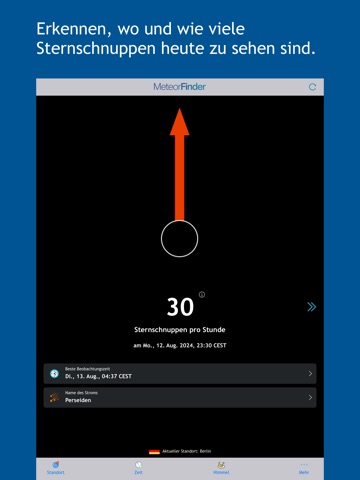
Sternschnuppen das ganze Jahr sehen! Willkommen bei MeteorFinder, der umfassenden Sternschnuppen-App. MeteorFinder zeigt Ihnen, wann Sie die nächsten Sternschnuppen sehen können, um Wünsche in Erfüllung gehen zu lassen! Egal, an welchem Ort Sie sind: MeteorFinder zeigt Ihnen an, zu welcher Uhrzeit Sie in welche Richtung am Himmel schauen müssen, um Sternschnuppen zu sehen. Dabei wird Ihnen auch angezeigt, wie viele Sternschnuppen Sie wahrscheinlich sehen werden. Mehr als 16 Sternschnuppenströme können über das Jahr beobachtet werden. Alle sind jeweils über mehrere Nächte zu sehen. Die „Perseiden“ sind der bekannteste Sternschnuppenstrom, der von Ende Juli bis Ende August beobachtet werden. kann. Aber auch in fast allen anderen Monaten lohnt sich ein Blick in den Himmel! Es gelten die Standard-EULA von Apple: https://www.apple.com/legal/internet-services/itunes/dev/stdeula/
App details
What you can learn from MeteorFinder
Every shipping app on the App Store has gone through the same decisions you're working through right now: which screenshot goes first, what caption sits over it, which device frame to show, what color the background should be. The 10 screenshots above are MeteorFinder's answers to those questions — they're public, they're real, and they made it through Apple's review.
Notice the first screenshot in particular. It's the one users see in search results and on the product page, and it's where most apps spend their best caption and tightest design. Look at the proportion of background to phone, where the text sits, what one thing the image is trying to communicate.
Want to see how other Navigation apps approach the same problem? Browse more Navigation apps in the showcase.
Take what works into your own screenshots
Open LaunchShots and design your App Store & Google Play screenshots — pick a device frame, drop captions, ship in minutes. Free, in your browser.
Open the screenshot editor →