Screenshots





Icon palette
About this app
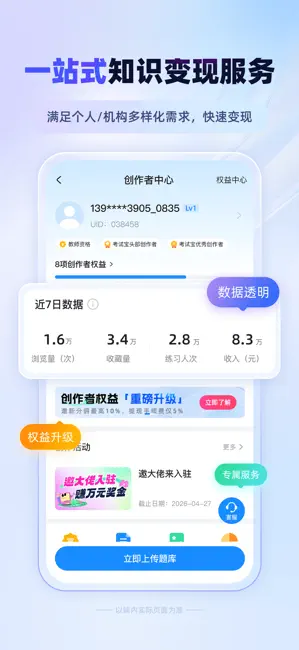
考试宝,致力于为用户提供智能化学习方案,覆盖职业资格、技能鉴定、学历提升等10000+种考试类目,拥有36亿+题目。无论你是学生备考、职场充电,还是企业搞培训、机构要考核,从学习、刷题、记忆、练习到测试、评估,一站式帮你搞定。AI智能工具还能帮你导题、出题、讲题,助力学习更高效、考试更从容! 【特色功能】 1、刷题练习 顺序练习、随机练习、题型练习……各种练习模式随意选择,错题自动归纳、举一反三,还能根据题目关键词进行搜索,提供详细解题过程与答案解析,帮你精准提分。 2、题库上传 支持手动导题、人工导题、AI导题多种方式,一键上传快速生成在线题库,智能解析和提取复杂文档或图片中的题目,不论是个人复习还是公司考试需求都能满足。 3、在线考试 一键智能组卷,支持自由设置题型、时间、分数,还有防作弊功能。考完试自动出成绩报告和知识点分析,还能智能出题和解析,不管是哪种考试场景,都能灵活应对。 4、历年真题 收录大量行业技能鉴定和职业资格考试的历年真题,专业教研团队精心整理和校对,快速掌握考试题型分布、难度变化和命题规…
App details
What you can learn from 考试宝-职业资格题库在线考试培训学习AI刷题拍照悬浮窗搜题酱
Every shipping app on the App Store has gone through the same decisions you're working through right now: which screenshot goes first, what caption sits over it, which device frame to show, what color the background should be. The 7 screenshots above are 考试宝-职业资格题库在线考试培训学习AI刷题拍照悬浮窗搜题酱's answers to those questions — they're public, they're real, and they made it through Apple's review.
Notice the first screenshot in particular. It's the one users see in search results and on the product page, and it's where most apps spend their best caption and tightest design. Look at the proportion of background to phone, where the text sits, what one thing the image is trying to communicate.
Want to see how other Education apps approach the same problem? Browse more Education apps in the showcase.
Take what works into your own screenshots
Open LaunchShots and design your App Store & Google Play screenshots — pick a device frame, drop captions, ship in minutes. Free, in your browser.
Open the screenshot editor →