Chart position — tracked daily by LaunchShots
Screenshot style breakdown
Sampled from 4 of My Medlatec's App Store screenshots — background, accent and theme, measured by LaunchShots (not something Apple publishes).
#F4F4F4 bg
#D6D6D6
#145CDC accent
#111111 text
Screenshots



iPad screenshots


Icon palette
About this app
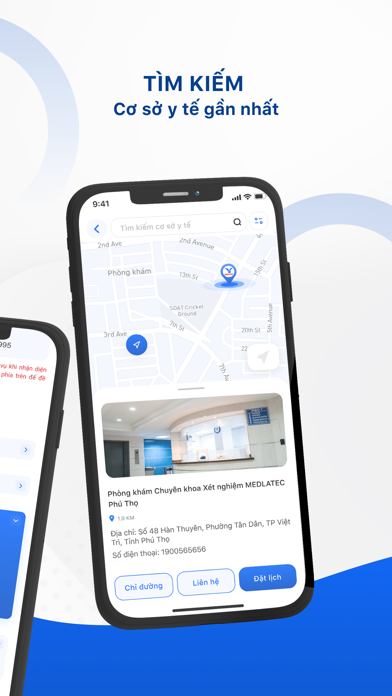
My Medlatec là một ứng dụng công nghệ, giúp kết nối người dùng với Hệ thống Y tế MEDLATEC - nhà cung cấp dịch vụ y tế, chăm sóc sức khỏe hàng đầu miền Bắc. Ứng dụng nổi bật với các tính năng tiện ích giúp người dùng: Đặt lịch khám/xét nghiệm tiện lợi với địa chỉ người dùng được lưu sẵn (tự động ghi nhớ thông tin người dùng); Theo dõi lịch sử sử dụng dịch vụ y tế, dễ dàng tra cứu mọi lúc mọi nơi; Theo dõi tiến trình dịch vụ theo thời gian thực, nhận ngay các thông báo mới khi trạng thái tiến trình được cập nhật; Lưu trữ hồ sơ sức khỏe cho mỗi cá nhân và người thân hoàn toàn bảo mật và khoa học; Chỉ đường đến các cơ sở y tế nhanh chóng thông qua bản đồ trực quan… Sự ra đời của My Medlatec là bước tiến quan trọng trong tiến trình hoàn thiện hóa hệ sinh thái chăm sóc sức khỏe toàn diện của Tập đoàn MEDLATEC, khẳng định sự trưởng thành không ngừng của việc ứng dụng công nghệ trong ngành…
App details
What you can learn from My Medlatec
Every shipping app on the App Store has gone through the same decisions you're working through right now: which screenshot goes first, what caption sits over it, which device frame to show, what color the background should be. The 8 screenshots above are My Medlatec's answers to those questions — they're public, they're real, and they made it through Apple's review.
What the numbers say: My Medlatec runs a light set with one background colour (#F4F4F4) carried across every screenshot — the listing reads as a single poster when the shots sit side by side in search results. The accent colour we picked up, #145CDC, is the one to reuse for badges, arrows and highlighted words if you borrow this look. Hit Use this style to open the editor with these exact colours and drop your own screenshot in.
Notice the first screenshot in particular. It's the one users see in search results and on the product page, and it's where most apps spend their best caption and tightest design. Look at the proportion of background to phone, where the text sits, what one thing the image is trying to communicate.
Want to see how other Medical apps approach the same problem? Browse more Medical apps in the showcase.
Take what works into your own screenshots
Open LaunchShots and design your App Store & Google Play screenshots — pick a device frame, drop captions, ship in minutes. Free, in your browser.
Open the screenshot editor →Apps with a similar look
Closest background + accent colours among the listings we've analysed — useful when you want to see the same palette handled by a different team.