Screenshots


Icon palette
About this app
Get all your tennis in one GO – with ScoreGO! ScoreGO is where tennis fans come together. More than just live scores, ScoreGO is your community to follow matches, share opinions, join conversations, and connect with fans who love the game as much as you do. Whether you're following ATP, WTA, Challenger, or ITF, ScoreGO gives you a place to stay updated and be part of the discussion. Join fan groups, chat about matches, debate predictions, celebrate wins, and experience tennis together — not alone. From Grand Slam drama to Challenger surprises, there’s always a community waiting for you. Why you’ll love ScoreGO: Your Tennis Community: Join groups and fan spaces built around your favorite players, tournaments, and tennis topics. Discuss live matches, share hot takes, react to breaking news, and connect with fans worldwide who share your passion for the sport. Personalized For You:…
App details
What you can learn from ScoreGO: Tennis Live Scores
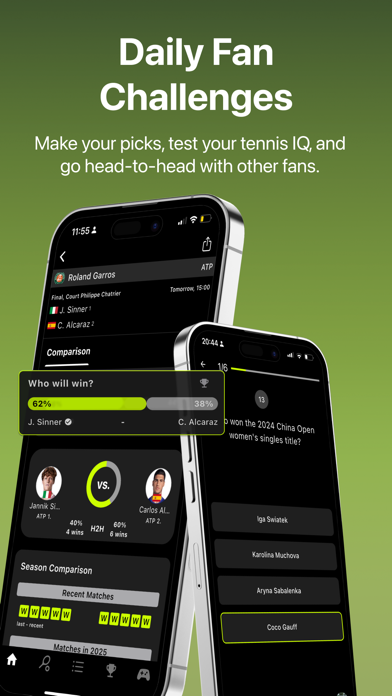
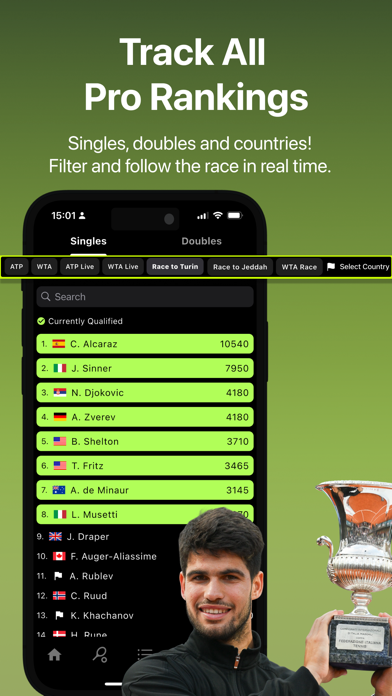
Every shipping app on the App Store has gone through the same decisions you're working through right now: which screenshot goes first, what caption sits over it, which device frame to show, what color the background should be. The 7 screenshots above are ScoreGO: Tennis Live Scores's answers to those questions — they're public, they're real, and they made it through Apple's review.
Notice the first screenshot in particular. It's the one users see in search results and on the product page, and it's where most apps spend their best caption and tightest design. Look at the proportion of background to phone, where the text sits, what one thing the image is trying to communicate.
Want to see how other Sports apps approach the same problem? Browse more Sports apps in the showcase.
Take what works into your own screenshots
Open LaunchShots and design your App Store & Google Play screenshots — pick a device frame, drop captions, ship in minutes. Free, in your browser.
Open the screenshot editor →