Chart position — tracked daily by LaunchShots
Screenshot changes — detected by LaunchShots
Screenshot style breakdown
Sampled from 6 of DLsite Sound 音声作品プレイヤー's App Store screenshots — background, accent and theme, measured by LaunchShots (not something Apple publishes).
#141C3C bg
#343B57
#6CA4DC accent
#FFFFFF text
Screenshots


iPad screenshots




Icon palette
About this app
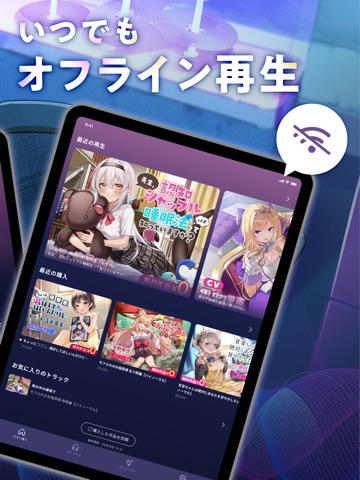
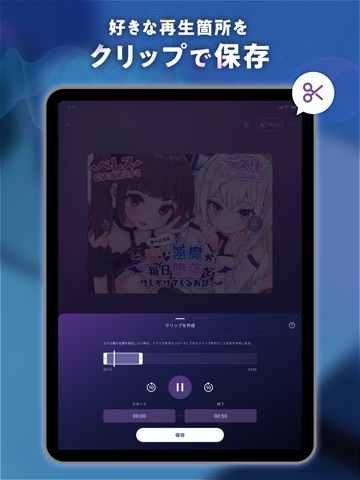
あなたのスマホ内の音声ファイルや、DLsiteで購入した音声作品を、最高の環境で楽しめる音声作品プレイヤーアプリです。 ■会員登録不要でハイレゾ対応ファイルを再生「PurePlay」機能 スマホ内の音声ファイルを、完全オフライン・高品質に楽しめます。 MP3、AAC、M4A、FLAC、WAVに対応しており、コミケで入手した同人音声CDや、サイトで購入した音声ファイルも、スマホに保存されていればアプリで再生できます。 iPhone単体ではハイレゾ品質の出力はできませんが、外付けのDACやハイレゾ対応イヤホンなどを接続し、PurePlayでFLACやWAVなどのハイレゾ対応ファイルを再生することで、音源の解像度をより保ったまま楽しめます。 ■音声作品に特化したプレイヤー機能 ASMRやドラマCD、ボイス作品に特化した便利な機能を多数搭載しています。 [ASMR向けイコライザ] 音声作品ならではの心地よさを追求した6つのプリセットを用意しています。 [プレイリスト] 好きなトラックを自由に組み合わせて再生できます。 [クリッププレイリスト] トラック内の好きなパートを切り…
App details
What you can learn from DLsite Sound 音声作品プレイヤー
Every shipping app on the App Store has gone through the same decisions you're working through right now: which screenshot goes first, what caption sits over it, which device frame to show, what color the background should be. The 12 screenshots above are DLsite Sound 音声作品プレイヤー's answers to those questions — they're public, they're real, and they made it through Apple's review.
What the numbers say: DLsite Sound 音声作品プレイヤー runs a dark set where the background shifts from screenshot to screenshot (first shot #141C3C) — each image has to stand on its own, so the captions carry more of the story. The accent colour we picked up, #6CA4DC, is the one to reuse for badges, arrows and highlighted words if you borrow this look. Hit Use this style to open the editor with these exact colours and drop your own screenshot in.
Notice the first screenshot in particular. It's the one users see in search results and on the product page, and it's where most apps spend their best caption and tightest design. Look at the proportion of background to phone, where the text sits, what one thing the image is trying to communicate.
Want to see how other Entertainment apps approach the same problem? Browse more Entertainment apps in the showcase.
Take what works into your own screenshots
Open LaunchShots and design your App Store & Google Play screenshots — pick a device frame, drop captions, ship in minutes. Free, in your browser.
Open the screenshot editor →Apps with a similar look
Closest background + accent colours among the listings we've analysed — useful when you want to see the same palette handled by a different team.