Chart position — tracked daily by LaunchShots
Screenshot changes — detected by LaunchShots
Screenshot style breakdown
Sampled from 6 of Yahoo! JAPAN's App Store screenshots — background, accent and theme, measured by LaunchShots (not something Apple publishes).
#FCFCFC bg
#DDDDDD
#FC6474 accent
#111111 text
Screenshots
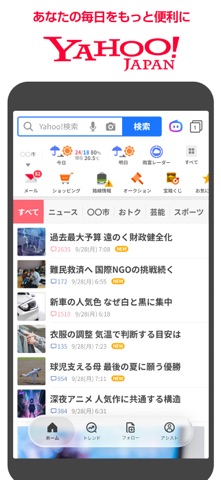
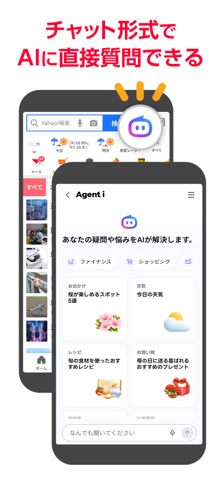
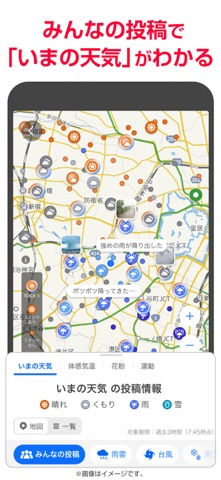
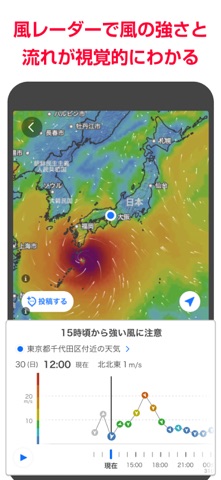



iPad screenshots


Icon palette
About this app
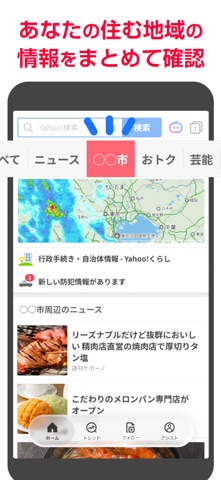
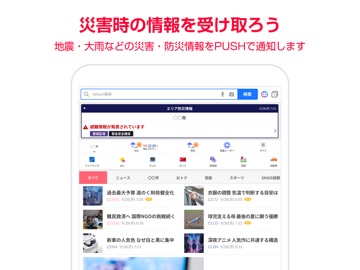
ニュース、天気、メールなどに加えクーポンまで、このアプリ一つで毎日の生活を豊かに、便利に、おトクにできます。 あなたの好みも学習するので、見たいニュースも逃しません。 サッカーや野球などのスポーツ速報をプッシュ通知でお届け。大きなニュースや地震、警報などの重要な情報も届くので、いざという時も安心です。 ※タブレット版アプリでは一部ご利用いただけない機能があります。 【Yahoo! JAPANアプリの特長】 ▼雨雲レーダー ・リアルタイムな雨雲の動きに加え、雨がいつ降り、やむのか予測時間が15時間先まで詳しく確認できます。 ・Yahoo! JAPANアプリのホーム画面上部の「雨雲レーダー」アイコンよりご利用いただけます。 ▼みんなが話題にしていることや、あなたの興味や毎日に役立つ情報を「トレンド」「フォロー」「アシスト」でチェック 「トレンド」 ・「Yahoo!検索」で検索数が急激に伸びているワードをランキングで見られます。 ・概要や関連ニュースで「なぜ話題か」をすばやく知ることができます。 「フォロー」 ・好きな有名人・スポーツチ…
App details
What you can learn from Yahoo! JAPAN
Every shipping app on the App Store has gone through the same decisions you're working through right now: which screenshot goes first, what caption sits over it, which device frame to show, what color the background should be. The 14 screenshots above are Yahoo! JAPAN's answers to those questions — they're public, they're real, and they made it through Apple's review.
What the numbers say: Yahoo! JAPAN runs a light set with one background colour (#FCFCFC) carried across every screenshot — the listing reads as a single poster when the shots sit side by side in search results. The accent colour we picked up, #FC6474, is the one to reuse for badges, arrows and highlighted words if you borrow this look. Hit Use this style to open the editor with these exact colours and drop your own screenshot in.
Notice the first screenshot in particular. It's the one users see in search results and on the product page, and it's where most apps spend their best caption and tightest design. Look at the proportion of background to phone, where the text sits, what one thing the image is trying to communicate.
Want to see how other News apps approach the same problem? Browse more News apps in the showcase.
Take what works into your own screenshots
Open LaunchShots and design your App Store & Google Play screenshots — pick a device frame, drop captions, ship in minutes. Free, in your browser.
Open the screenshot editor →Apps with a similar look
Closest background + accent colours among the listings we've analysed — useful when you want to see the same palette handled by a different team.