Chart position — tracked daily by LaunchShots
Screenshot changes — detected by LaunchShots
Screenshot style breakdown
Sampled from 6 of マンガ Renta! タテコミ漫画/人気まんが|マンガアプリ's App Store screenshots — background, accent and theme, measured by LaunchShots (not something Apple publishes).
#FCFCFC bg
#DDDDDD
#FCE40C accent
#111111 text
Screenshots


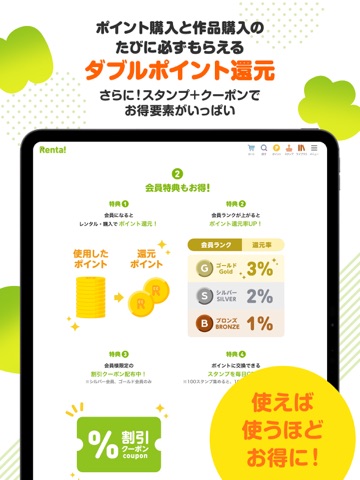
iPad screenshots




Icon palette
About this app
漫画をお得にレンタルできる漫画アプリ!TVCM放送中 \会員数1000万人突破!120万冊以上の品揃え/ 人気の漫画を多数配信中! 少女漫画、少年漫画、青年漫画、ホラー漫画、推理漫画、エッセイコミック、グルメ漫画、ハーレクイン、ロマンスコミック、 アニメ原作、ドラマ原作、舞台化作品など、 あなたが読みたい話題の漫画が、あの時読んだ漫画の続きが、きっと見つかる 【タテコミとは】 Renta!が生んだ新しい漫画のフォーマットです。1コマ1コマを台詞も含めてスマホの縦画面にぴったりフィットするように再構成し、縦スクロールで快適に読めるようにした漫画、それが『タテコミ』です。 スマホの画面は、モノクロでしたでしょうか?いいえ、カラーですよね。タテコミではスマホに合わせて全作品をフルカラーに着色しています。 最高のマンガ体験を『Renta!』でお楽しみください。 【まんがRenta!のアプリ詳細】 ・漫画を気軽に48時間レンタルから!※ ・ネットの本屋さんだからいつでも、どこでも漫画が読める! ・まんが、小説、雑誌など全て『無料サンプル…
App details
What you can learn from マンガ Renta! タテコミ漫画/人気まんが|マンガアプリ
Every shipping app on the App Store has gone through the same decisions you're working through right now: which screenshot goes first, what caption sits over it, which device frame to show, what color the background should be. The 12 screenshots above are マンガ Renta! タテコミ漫画/人気まんが|マンガアプリ's answers to those questions — they're public, they're real, and they made it through Apple's review.
What the numbers say: マンガ Renta! タテコミ漫画/人気まんが|マンガアプリ runs a light set where the background shifts from screenshot to screenshot (first shot #FCFCFC) — each image has to stand on its own, so the captions carry more of the story. The accent colour we picked up, #FCE40C, is the one to reuse for badges, arrows and highlighted words if you borrow this look. Hit Use this style to open the editor with these exact colours and drop your own screenshot in.
Notice the first screenshot in particular. It's the one users see in search results and on the product page, and it's where most apps spend their best caption and tightest design. Look at the proportion of background to phone, where the text sits, what one thing the image is trying to communicate.
Want to see how other Book apps approach the same problem? Browse more Book apps in the showcase.
Take what works into your own screenshots
Open LaunchShots and design your App Store & Google Play screenshots — pick a device frame, drop captions, ship in minutes. Free, in your browser.
Open the screenshot editor →Apps with a similar look
Closest background + accent colours among the listings we've analysed — useful when you want to see the same palette handled by a different team.