Screenshot changes — detected by LaunchShots
Screenshot style breakdown
Sampled from 5 of 三菱UFJ銀行's App Store screenshots — background, accent and theme, measured by LaunchShots (not something Apple publishes).
#FCF4F4 bg
#DDD6D6
#E40404 accent
#111111 text
Reading the caption text from the screenshots in your browser…
Screenshots



Icon palette
About this app
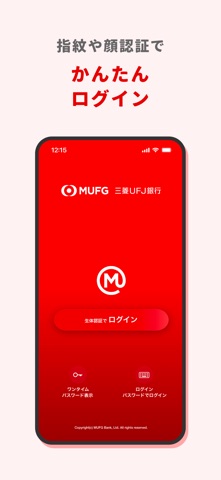
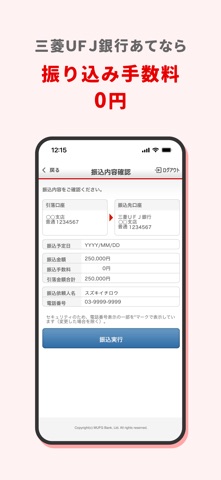
三菱UFJ銀行が提供するインターネットバンキング(三菱UFJダイレクト)のスマートフォンアプリです。 スマートフォンアプリなら、 1.銀行やATMに行かなくても、いつでも・どこでも(*1)取引ができて便利! 残高・入出金明細照会、振込、ペイジー決済など、色々な取引を利用できます。 2.カンタンにログイン! 生体認証(Touch IDやFace ID)を使えば、パスワード入力不要!すぐにログインできます。(*2) 3.ワンタイムパスワードでセキュリティも安心・安全! アプリで取引する場合、お客さまの入力は不要です(自動入力)。 ■主な機能 ・残高照会 ・入出金明細照会 ・振込、振替 ・ことら送金 ・税金・各種料金払込(ペイジー・モバイルレジ) ・定期預金 ・外貨預金 ・投資信託 ・iDeCo(イデコ)お申し込み ・保険お申し込み ・住所・連絡先(電話番号)変更 ・キャッシュカード暗証番号の再登録 ・ワンタイムパスワードの表示 (※パソコンやスマートフォンブラウザでのお取引時に利用します) ・為替レート通知 ・デビットカー…
App details
What you can learn from 三菱UFJ銀行
Every shipping app on the App Store has gone through the same decisions you're working through right now: which screenshot goes first, what caption sits over it, which device frame to show, what color the background should be. The 5 screenshots above are 三菱UFJ銀行's answers to those questions — they're public, they're real, and they made it through Apple's review.
What the numbers say: 三菱UFJ銀行 runs a light set with one background colour (#FCF4F4) carried across every screenshot — the listing reads as a single poster when the shots sit side by side in search results. The accent colour we picked up, #E40404, is the one to reuse for badges, arrows and highlighted words if you borrow this look. Hit Use this style to open the editor with these exact colours and drop your own screenshot in.
Notice the first screenshot in particular. It's the one users see in search results and on the product page, and it's where most apps spend their best caption and tightest design. Look at the proportion of background to phone, where the text sits, what one thing the image is trying to communicate.
Want to see how other Finance apps approach the same problem? Browse more Finance apps in the showcase.
Take what works into your own screenshots
Open LaunchShots and design your App Store & Google Play screenshots — pick a device frame, drop captions, ship in minutes. Free, in your browser.
Open the screenshot editor →Apps with a similar look
Closest background + accent colours among the listings we've analysed — useful when you want to see the same palette handled by a different team.