Chart position — tracked daily by LaunchShots
Screenshot changes — detected by LaunchShots
Screenshot style breakdown
Sampled from 6 of 分析採点JOYSOUND-カラオケ採点&練習・カラオケアプリ's App Store screenshots — background, accent and theme, measured by LaunchShots (not something Apple publishes).
#E42434 bg
#E74250
#04B48C accent
#FFFFFF text
Screenshots
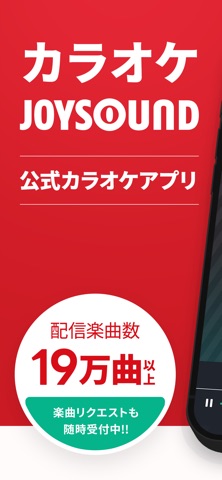
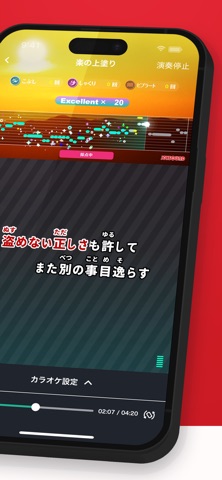
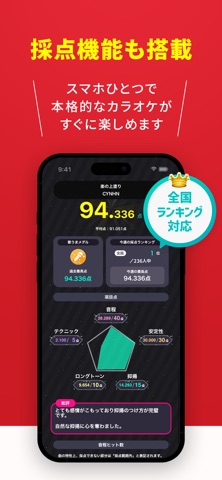


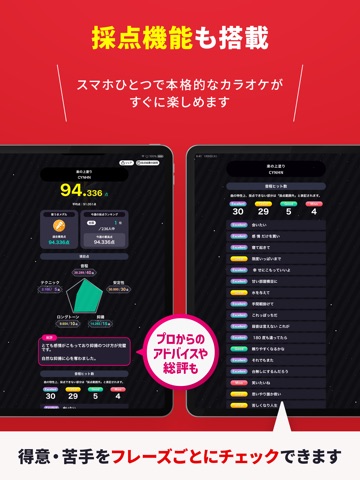
iPad screenshots




Icon palette
About this app
■圧倒的19万曲配信!JOYSOUND 公式 カラオケ アプリ! ・カラオケボックスでおなじみの 分析採点 で音程や歌声を詳しく分析! ・あなたの 声域 とカラオケの 音域 を比較&分析し、歌いやすい 最適キー をリコメンド! ・歌詞 フレーズごとに音程一 致率を判定!どこがバッチリで、どこをハズしたのか一目で分かる! ・JOYSOUND認定!点数に応じてもらえる 歌うまメダル をコレクションしよう! ・採点ランキングでみんなとバトル!得意な歌で上位を目指そう! ・歌声を録音しよう!カラオケ画面&音源とあわせて、いつでも見て聞いて、何度も復習できちゃう! ・横画面対応!マイク、エコーやテンポも自由自在で、家でも雰囲気上々!歌ってストレス発散! ・プレイリストで持ち歌管理にも便利!連続歌唱でたくさん歌おう! ・音程ゴースト機能で自分の苦手部分が丸わかり!効率的に練習しよう! ・楽しんで歌っているうちに、自然と歌うまに!ボイトレ講師もオススメ! 【主な機能】 ---カラオケ機能--- ●分析採点* ・採点中はリアルタイムで音程や抑…
App details
What you can learn from 分析採点JOYSOUND-カラオケ採点&練習・カラオケアプリ
Every shipping app on the App Store has gone through the same decisions you're working through right now: which screenshot goes first, what caption sits over it, which device frame to show, what color the background should be. The 15 screenshots above are 分析採点JOYSOUND-カラオケ採点&練習・カラオケアプリ's answers to those questions — they're public, they're real, and they made it through Apple's review.
What the numbers say: 分析採点JOYSOUND-カラオケ採点&練習・カラオケアプリ runs a dark set with one background colour (#E42434) carried across every screenshot — the listing reads as a single poster when the shots sit side by side in search results. The accent colour we picked up, #04B48C, is the one to reuse for badges, arrows and highlighted words if you borrow this look. Hit Use this style to open the editor with these exact colours and drop your own screenshot in.
Notice the first screenshot in particular. It's the one users see in search results and on the product page, and it's where most apps spend their best caption and tightest design. Look at the proportion of background to phone, where the text sits, what one thing the image is trying to communicate.
Want to see how other Music apps approach the same problem? Browse more Music apps in the showcase.
Take what works into your own screenshots
Open LaunchShots and design your App Store & Google Play screenshots — pick a device frame, drop captions, ship in minutes. Free, in your browser.
Open the screenshot editor →Apps with a similar look
Closest background + accent colours among the listings we've analysed — useful when you want to see the same palette handled by a different team.