Chart position — tracked daily by LaunchShots
Screenshot style breakdown
Sampled from 2 of 東京海上日動マイページ's App Store screenshots — background, accent and theme, measured by LaunchShots (not something Apple publishes).
#045CBC bg
#2772C5
#54A4D4 accent
#FFFFFF text
Reading the caption text from the screenshots in your browser…
Screenshots
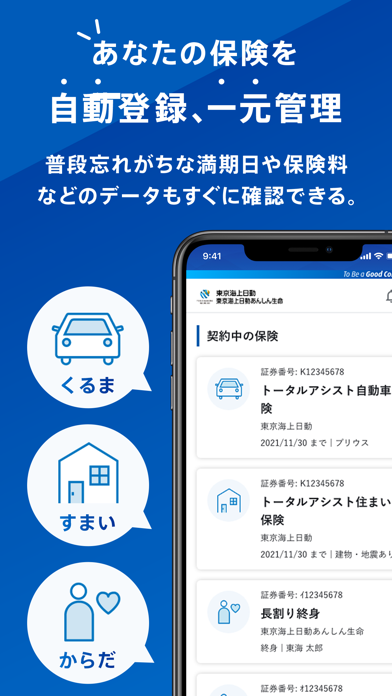
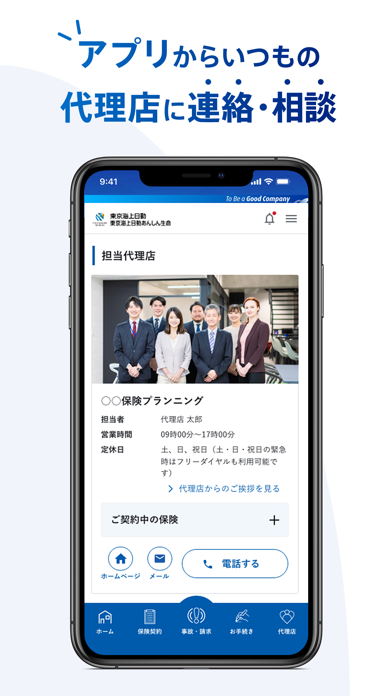
iPad screenshots


Icon palette
About this app
東京海上日動・東京海上日動あんしん生命がご提供するスマホアプリ「東京海上日動マイページ」です。 <サービス内容> ■損害保険・生命保険契約の管理 ・お客様のご契約を自動表示 ・いつでもどこでも加入している保険内容が一目でわかる ■事故・故障時の各種サポート ・自動車の故障や事故、建物・家財に生じた被害を代理店や保険会社に素早く連絡 ・GPS機能で自分の位置を代理店や保険会社に知らせ、レッカー車・応急対応等を素早く手配 ・事故対応の経過確認や、必要なお手続きが可能。経過についても進展の都度、PUSH通知でお知らせ ■代理店への連絡 ・ご契約の代理店を自動表示、簡単に連絡・相談が可能 ■ネットでカンタン保険加入 ・ちょいのり保険、eクル保険、eゴルファー保険、海外旅行保険の申し込み手続き ■防災・季節情報 ・防災に役立つ情報のご紹介 ・設定したエリアの大雨警報等の災害情報をPUSH通知でお知らせ 【対応OSバージョン】 iOS 26/18/17 ※本アプリが起動中はバックグラウンドでGPS情報を取得しますので、バッテリーが減ります…
App details
What you can learn from 東京海上日動マイページ
Every shipping app on the App Store has gone through the same decisions you're working through right now: which screenshot goes first, what caption sits over it, which device frame to show, what color the background should be. The 4 screenshots above are 東京海上日動マイページ's answers to those questions — they're public, they're real, and they made it through Apple's review.
What the numbers say: 東京海上日動マイページ runs a mixed light-and-dark set where the background shifts from screenshot to screenshot (first shot #045CBC) — each image has to stand on its own, so the captions carry more of the story. The accent colour we picked up, #54A4D4, is the one to reuse for badges, arrows and highlighted words if you borrow this look. Hit Use this style to open the editor with these exact colours and drop your own screenshot in.
Notice the first screenshot in particular. It's the one users see in search results and on the product page, and it's where most apps spend their best caption and tightest design. Look at the proportion of background to phone, where the text sits, what one thing the image is trying to communicate.
Want to see how other Finance apps approach the same problem? Browse more Finance apps in the showcase.
Take what works into your own screenshots
Open LaunchShots and design your App Store & Google Play screenshots — pick a device frame, drop captions, ship in minutes. Free, in your browser.
Open the screenshot editor →Apps with a similar look
Closest background + accent colours among the listings we've analysed — useful when you want to see the same palette handled by a different team.