Chart position — tracked daily by LaunchShots
Screenshot style breakdown
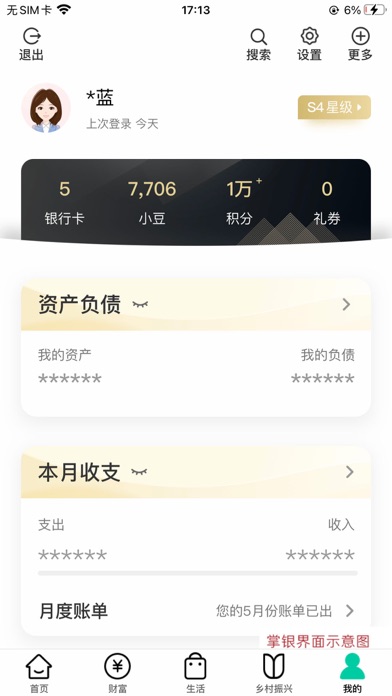
Sampled from 5 of 中国农业银行's App Store screenshots — background, accent and theme, measured by LaunchShots (not something Apple publishes).
#FCFCFC bg
#DDDDDD
#043C84 accent
#111111 text
Screenshots


Icon palette
About this app
农行掌上银行,您的线上智慧“新银行”!掌银新版本功能更强大,服务更贴心,让每个用户都拥有专属的“线上网点”。 乡村版充值专区、专属理财保险、特色涉农产品,贴近县域乡村用户的日常需求,惠民利民。 大字版提供超大字体“一大到底”,精选产品,功能简洁,无弹屏广告,为高龄人士提供清爽体验。 标准版主要功能新增支持提供语音播报等无障碍服务,为特殊客群提供贴心关怀。 全面收支展示分析,“钱从哪来,花在哪里”一目了然。设置预算提醒,超出预算小信封自动提醒。 搜索功能方便易用,支持语音交互。搜索覆盖范围更广、结果准确度更高、推荐内容更智能。 线上反欺诈利用大数据、人工智能等前沿技术有效识别线上高风险交易,保障客户资金安全。 做任务赢好礼、秒杀抢购、支付优惠,热门活动精彩来袭!小豆乐园每日答题抽奖,可兑换各类好物,新客更有三重礼,畅享优惠福利多。
App details
What you can learn from 中国农业银行
Every shipping app on the App Store has gone through the same decisions you're working through right now: which screenshot goes first, what caption sits over it, which device frame to show, what color the background should be. The 5 screenshots above are 中国农业银行's answers to those questions — they're public, they're real, and they made it through Apple's review.
What the numbers say: 中国农业银行 runs a light set with one background colour (#FCFCFC) carried across every screenshot — the listing reads as a single poster when the shots sit side by side in search results. The accent colour we picked up, #043C84, is the one to reuse for badges, arrows and highlighted words if you borrow this look. Hit Use this style to open the editor with these exact colours and drop your own screenshot in.
Notice the first screenshot in particular. It's the one users see in search results and on the product page, and it's where most apps spend their best caption and tightest design. Look at the proportion of background to phone, where the text sits, what one thing the image is trying to communicate.
Want to see how other Finance apps approach the same problem? Browse more Finance apps in the showcase.
Take what works into your own screenshots
Open LaunchShots and design your App Store & Google Play screenshots — pick a device frame, drop captions, ship in minutes. Free, in your browser.
Open the screenshot editor →Apps with a similar look
Closest background + accent colours among the listings we've analysed — useful when you want to see the same palette handled by a different team.