Chart position — tracked daily by LaunchShots
Screenshot changes — detected by LaunchShots
Screenshot style breakdown
Sampled from 6 of Банки.ру- Кредит, Займы Онлайн's App Store screenshots — background, accent and theme, measured by LaunchShots (not something Apple publishes).
#ECF4FC bg
#CFD6DD
#94DCFC accent
#111111 text
Reading the caption text from the screenshots in your browser…
Screenshots


iPad screenshots


Icon palette
About this app
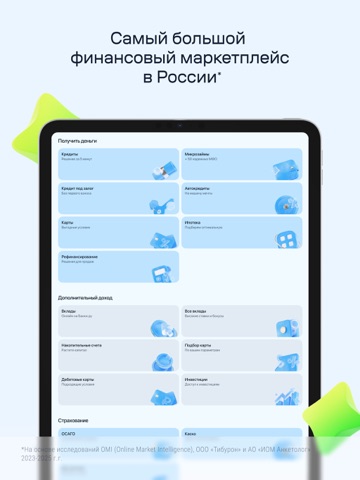
Банки.ру – самый большой финансовый маркетплейс в России*. Все банки, МФО и страховые компании в одном приложении. Около полумиллиона пользователей в месяц с нашей помощью могут взять кредит онлайн, займы на карту без отказа, кредитные карты, ипотеку, дебетовые карты, открывают вклады, оформляют полис страхования ОСАГО и КАСКО. На Банки.ру более 850 000 реальных отзывов о банках и МФО. ОФОРМИТЬ ЗАЙМЫ И КРЕДИТЫ ОНЛАЙН Если кредит недоступен из-за плохой кредитной истории или отсутствия официального дохода, оформите займ онлайн. Первый займ на Банки.ру можно получить без процентов! Вам понадобятся паспорт РФ и реквизиты карты. Для подбора кредита онлайн укажите доход, кредитный рейтинг, долговую нагрузку и получите предложения. Кредит на карту, потребительский кредит, автокредит, ипотека, кредитная карта со ставками от 3,5% до 30% годовых и сроком от 3 месяцев до 30 лет. Пример расчет…
App details
What you can learn from Банки.ру- Кредит, Займы Онлайн
Every shipping app on the App Store has gone through the same decisions you're working through right now: which screenshot goes first, what caption sits over it, which device frame to show, what color the background should be. The 12 screenshots above are Банки.ру- Кредит, Займы Онлайн's answers to those questions — they're public, they're real, and they made it through Apple's review.
What the numbers say: Банки.ру- Кредит, Займы Онлайн runs a light set with one background colour (#ECF4FC) carried across every screenshot — the listing reads as a single poster when the shots sit side by side in search results. The accent colour we picked up, #94DCFC, is the one to reuse for badges, arrows and highlighted words if you borrow this look. Hit Use this style to open the editor with these exact colours and drop your own screenshot in.
Notice the first screenshot in particular. It's the one users see in search results and on the product page, and it's where most apps spend their best caption and tightest design. Look at the proportion of background to phone, where the text sits, what one thing the image is trying to communicate.
Want to see how other Finance apps approach the same problem? Browse more Finance apps in the showcase.
Take what works into your own screenshots
Open LaunchShots and design your App Store & Google Play screenshots — pick a device frame, drop captions, ship in minutes. Free, in your browser.
Open the screenshot editor →Apps with a similar look
Closest background + accent colours among the listings we've analysed — useful when you want to see the same palette handled by a different team.