Chart position — tracked daily by LaunchShots
Screenshot changes — detected by LaunchShots
Screenshot style breakdown
Sampled from 6 of Coole KI Schriften: Text Skins's App Store screenshots — background, accent and theme, measured by LaunchShots (not something Apple publishes).
#FCFCFC bg
#DDDDDD
#946CEC accent
#111111 text
Reading the caption text from the screenshots in your browser…
Screenshots
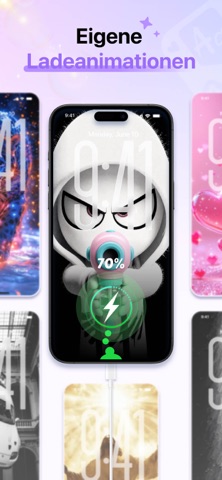

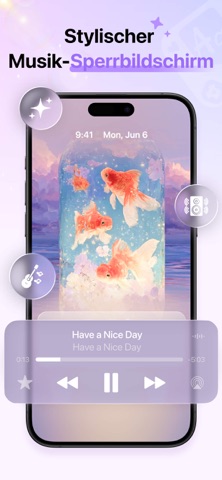
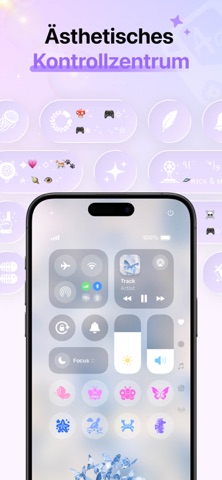


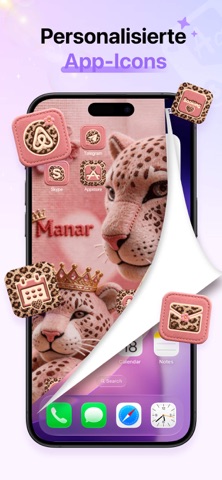

iPad screenshots


Icon palette
About this app
Kürzlich aktualisiert für iOS 18, einschließlich der Anpassung des Kontrollzentrums. Machen Sie Ihr Telefon nützlicher und unterhaltsamer mit über 100 Kombinationen und 200+ personalisierten Symbolen. Cool Fonts ist eine kostenlose App, die eine große Sammlung künstlerischer Schriftarten bietet, darunter über 500 designbezogene Schriftarten, kreative Symbole, modische Emoticons, charmante Kaomojis, eine Vielzahl von Tastaturoptionen und weitere anpassbare Funktionen. Diese attraktiven Schriftarten und Highlight-Cover sind für alle sozialen Medien und Messaging-Plattformen geeignet. Sie können auch Ihre eigenen Schriftarten erstellen, um viele Follower zu gewinnen und sofort in den sozialen Medien aufzufallen! Cool Fonts hilft Ihnen, sich besser in Form von Schriftarten auszudrücken. Darüber hinaus verfügt Cool Fonts über leistungsstärkere Funktionen: Wechseln Sie einfach zu stilvolle…
App details
What you can learn from Coole KI Schriften: Text Skins
Every shipping app on the App Store has gone through the same decisions you're working through right now: which screenshot goes first, what caption sits over it, which device frame to show, what color the background should be. The 18 screenshots above are Coole KI Schriften: Text Skins's answers to those questions — they're public, they're real, and they made it through Apple's review.
What the numbers say: Coole KI Schriften: Text Skins runs a light set with one background colour (#FCFCFC) carried across every screenshot — the listing reads as a single poster when the shots sit side by side in search results. The accent colour we picked up, #946CEC, is the one to reuse for badges, arrows and highlighted words if you borrow this look. Hit Use this style to open the editor with these exact colours and drop your own screenshot in.
Notice the first screenshot in particular. It's the one users see in search results and on the product page, and it's where most apps spend their best caption and tightest design. Look at the proportion of background to phone, where the text sits, what one thing the image is trying to communicate.
Want to see how other Graphics & Design apps approach the same problem? Browse more Graphics & Design apps in the showcase.
Take what works into your own screenshots
Open LaunchShots and design your App Store & Google Play screenshots — pick a device frame, drop captions, ship in minutes. Free, in your browser.
Open the screenshot editor →Apps with a similar look
Closest background + accent colours among the listings we've analysed — useful when you want to see the same palette handled by a different team.