Screenshot style breakdown
Sampled from 4 of すごい暗記帳 -画像からAIが問題作成-'s App Store screenshots — background, accent and theme, measured by LaunchShots (not something Apple publishes).
#7C64FC bg
#8E79FC
#5C34B4 accent
#FFFFFF text
Reading the caption text from the screenshots in your browser…
Screenshots



iPad screenshots


Icon palette
About this app
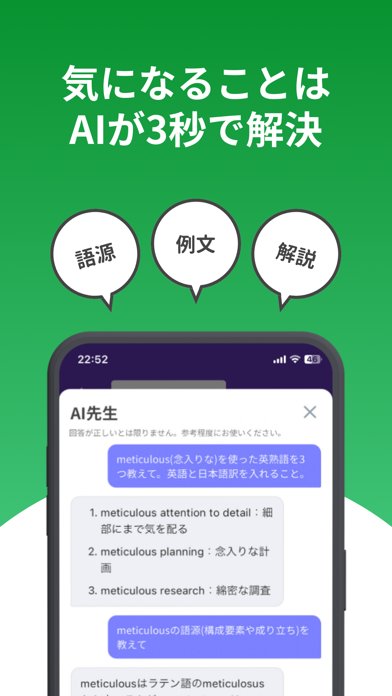
ノートや資料の写真から、AIが暗記帳・単語帳を作成。すごい暗記帳は、自分の教材で問題を作り、毎日の復習まで続けられる学習アプリです。写真のほか、PDF、音声、Webページ、YouTube動画からも、編集できる問題を作成できます。 ◆自分の教材を学習カードに◆ 一問一答や英単語の問題をAIで作成し、内容を確認・編集してから学習できます。問題でわからないことはAI先生に質問。説明や例文を確認しながら、理解を深められます。 ◆自分に合った方法で練習◆ カードめくり、選択式問題、文字入力に対応。選択式問題では、AIが正解に合わせて選択肢を作成します。読み上げを使って、単語や文章を音声でも確認できます。利用できる学習方法はモードによって異なります。 ◆今日の学習を迷わず始める◆ 忘却曲線を考慮した「今日の学習」で、復習が必要な問題に取り組めます。復習の間隔は自分のペースに合わせて調整できます。 ◆暗記帳を共有◆ 作成した暗記帳を公開したり、ほかのユーザーが作った暗記帳を見つけたりできます。タイムラインで学習の記録や話題を共有する…
App details
What you can learn from すごい暗記帳 -画像からAIが問題作成-
Every shipping app on the App Store has gone through the same decisions you're working through right now: which screenshot goes first, what caption sits over it, which device frame to show, what color the background should be. The 7 screenshots above are すごい暗記帳 -画像からAIが問題作成-'s answers to those questions — they're public, they're real, and they made it through Apple's review.
What the numbers say: すごい暗記帳 -画像からAIが問題作成- runs a mixed light-and-dark set where the background shifts from screenshot to screenshot (first shot #7C64FC) — each image has to stand on its own, so the captions carry more of the story. The accent colour we picked up, #5C34B4, is the one to reuse for badges, arrows and highlighted words if you borrow this look. Hit Use this style to open the editor with these exact colours and drop your own screenshot in.
Notice the first screenshot in particular. It's the one users see in search results and on the product page, and it's where most apps spend their best caption and tightest design. Look at the proportion of background to phone, where the text sits, what one thing the image is trying to communicate.
Want to see how other Education apps approach the same problem? Browse more Education apps in the showcase.
Take what works into your own screenshots
Open LaunchShots and design your App Store & Google Play screenshots — pick a device frame, drop captions, ship in minutes. Free, in your browser.
Open the screenshot editor →Apps with a similar look
Closest background + accent colours among the listings we've analysed — useful when you want to see the same palette handled by a different team.