Chart position — tracked daily by LaunchShots
Screenshot changes — detected by LaunchShots
Screenshot style breakdown
Sampled from 6 of Bloomwell's App Store screenshots — background, accent and theme, measured by LaunchShots (not something Apple publishes).
#040404 bg
#272727
#34FCA4 accent
#FFFFFF text
Screenshots


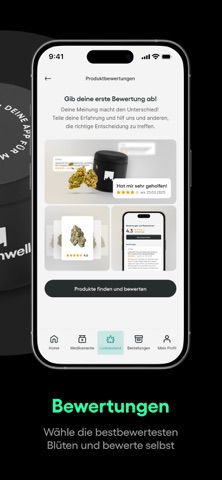

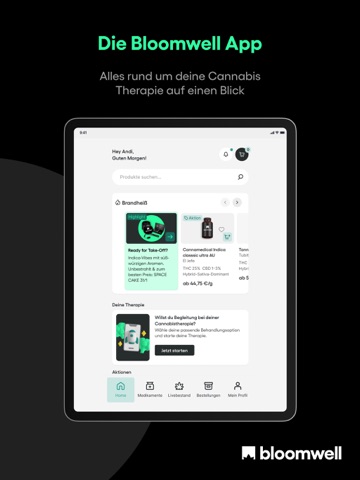
iPad screenshots




Icon palette
About this app
Medizinisches Cannabis per App: Dein E-Rezept kostet dich ab sofort dauerhaft 0€. Keine Arztgebühr, keine Wartezimmer – wähle aus über 200 verfügbaren Apotheken-Blüten. Beantrage deine Behandlung jetzt komplett digital, legal und diskret in unter 5 Minuten! Willkommen bei Bloomwell – Europas führender Plattform für medizinisches Cannabis und Telemedizin. Leidest du unter Schlafstörungen, chronischen Schmerzen, Migräne oder ADHS? Du bist nicht allein. Über 500.000 Patienten vertrauen bereits auf Bloomwell, um ihre Lebensqualität zurückzugewinnen. Wir machen den Zugang zu deiner medizinischen Cannabis-Therapie endlich einfach, bezahlbar und zu 100 % digital. Dein Rezept für 0€ – Dauerhaft Wir glauben, dass Gesundheit keine Frage des Geldbeutels sein darf. Deshalb kostet dich dein E-Rezept bei uns 0€. Keine versteckten Gebühren für die Rezeptausstellung. Dir stehen dauerhaft über 200 sor…
App details
What you can learn from Bloomwell
Every shipping app on the App Store has gone through the same decisions you're working through right now: which screenshot goes first, what caption sits over it, which device frame to show, what color the background should be. The 18 screenshots above are Bloomwell's answers to those questions — they're public, they're real, and they made it through Apple's review.
What the numbers say: Bloomwell runs a dark set with one background colour (#040404) carried across every screenshot — the listing reads as a single poster when the shots sit side by side in search results. The accent colour we picked up, #34FCA4, is the one to reuse for badges, arrows and highlighted words if you borrow this look. Hit Use this style to open the editor with these exact colours and drop your own screenshot in.
Notice the first screenshot in particular. It's the one users see in search results and on the product page, and it's where most apps spend their best caption and tightest design. Look at the proportion of background to phone, where the text sits, what one thing the image is trying to communicate.
Want to see how other Medical apps approach the same problem? Browse more Medical apps in the showcase.
Take what works into your own screenshots
Open LaunchShots and design your App Store & Google Play screenshots — pick a device frame, drop captions, ship in minutes. Free, in your browser.
Open the screenshot editor →Apps with a similar look
Closest background + accent colours among the listings we've analysed — useful when you want to see the same palette handled by a different team.