Screenshots


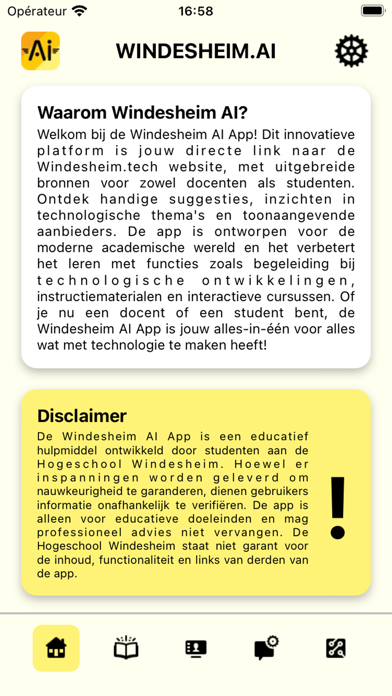
iPad screenshots


Icon palette
About this app
Welkom bij Windesheim.Al, de app die jouw ondersteunt bij het ontdekken en benutten van de kracht van kunstmatige intelligentie (Al). Deze innovatieve applicatie is ontworpen om gebruikers te begeleiden bij het begrijpen, toepassen en optimaliseren van Al-technologieën in hun educatieve reis. Leer de basisprincipes van Al: Windesheim.Al biedt een uitgebreide introductie tot de basisprincipes van kunstmatige intelligentie. Ontdek hoe Al jou kan helpen in het dagelijkse leven, leer hoe je Al kan integreren in jouw werkprocessen en hoe je gebruik kan maken van Al- tools om je productiviteit te verbeteren. Maak gebruik van de artikelen en podcasts in de app om de ethische, legale, sociale en technische aspecten (ELSA) te ontdekken. Ontwikkel je daarnaast door middel van een database aan Al cursussen op het gebied van Al. Profiteer ook van een prompt bibliotheek.
App details
What you can learn from Windesheim.AI
Every shipping app on the App Store has gone through the same decisions you're working through right now: which screenshot goes first, what caption sits over it, which device frame to show, what color the background should be. The 12 screenshots above are Windesheim.AI's answers to those questions — they're public, they're real, and they made it through Apple's review.
Notice the first screenshot in particular. It's the one users see in search results and on the product page, and it's where most apps spend their best caption and tightest design. Look at the proportion of background to phone, where the text sits, what one thing the image is trying to communicate.
Want to see how other Education apps approach the same problem? Browse more Education apps in the showcase.
Take what works into your own screenshots
Open LaunchShots and design your App Store & Google Play screenshots — pick a device frame, drop captions, ship in minutes. Free, in your browser.
Open the screenshot editor →