Screenshots

Icon palette
About this app
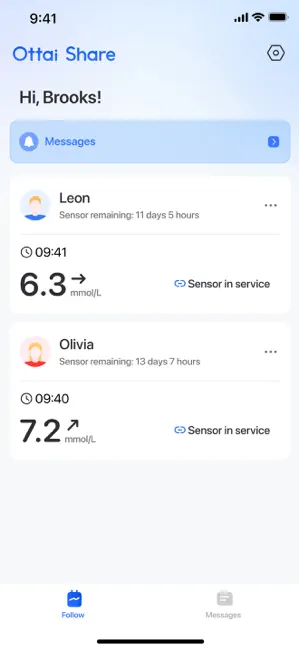
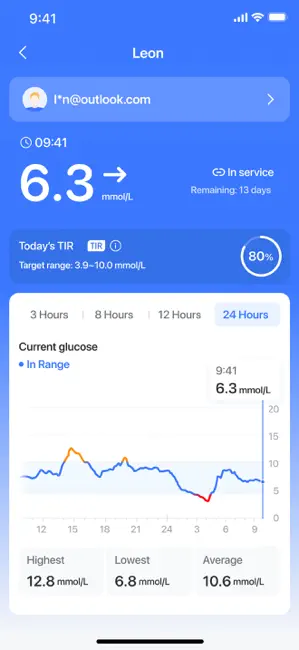
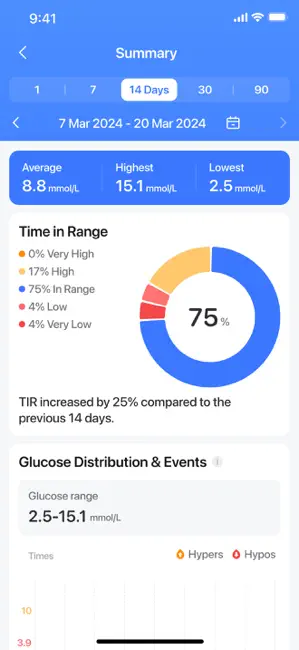
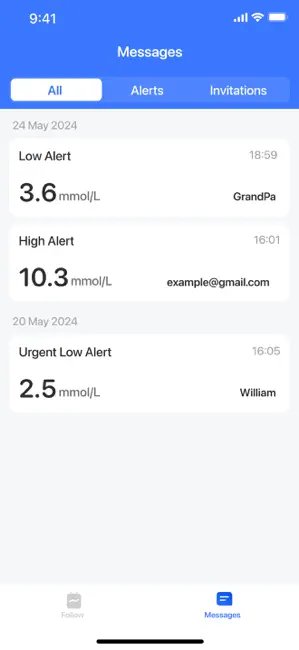
A key component of the Ottai CGM ecosystem, the Ottai Share app helps you connect in real time with loved ones, caregivers, or healthcare professionals via invitation. Share your glucose data (including, but not limited to, real-time sensor readings, TIR, trend charts, etc.) no matter where you are. Join Ottai on your new health journey. [Jurisdictional Statement]: The associated glucose monitoring hardware and related services are only authorized in selected jurisdictions where applicable regulatory clearance has been obtained. Availability of this application on the App Store does not indicate regulatory approval of the associated hardware or health-related features in all regions. Users should only use the associated hardware and related features in jurisdictions where such products are authorized and compliant with local regulations. [Disclaimer]: This product only provides data c…
App details
What you can learn from Ottai Share
Every shipping app on the App Store has gone through the same decisions you're working through right now: which screenshot goes first, what caption sits over it, which device frame to show, what color the background should be. The 5 screenshots above are Ottai Share's answers to those questions — they're public, they're real, and they made it through Apple's review.
Notice the first screenshot in particular. It's the one users see in search results and on the product page, and it's where most apps spend their best caption and tightest design. Look at the proportion of background to phone, where the text sits, what one thing the image is trying to communicate.
Want to see how other Medical apps approach the same problem? Browse more Medical apps in the showcase.
Take what works into your own screenshots
Open LaunchShots and design your App Store & Google Play screenshots — pick a device frame, drop captions, ship in minutes. Free, in your browser.
Open the screenshot editor →