Screenshot style breakdown
Sampled from 4 of LIVSHO – Live Shopping app's App Store screenshots — background, accent and theme, measured by LaunchShots (not something Apple publishes).
#FCE414 bg
#DDC811
#D40C24 accent
#111111 text
Reading the caption text from the screenshots in your browser…
Screenshots
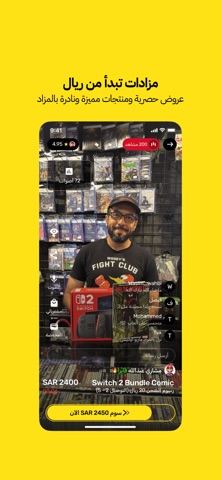


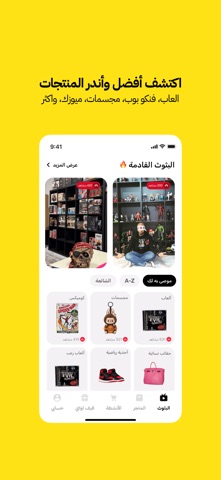
Icon palette
About this app
ليف شو – تطبيق التسوق المباشر لهواة الألعاب والفنكو بوب ومجسمات الانمي والمسلسلات والافلام ليف شو هو تطبيق سعودي يجمع عشّاق الألعاب والفانكو بوب وتماثيل الأنمي واكثر في تجربة تسوّق مباشر بمزادات مليئة بالتفاعل والعروض القوية. تحب تشتري أو تبيع ألعاب نينتندو أو بلايستيشن؟ تدور على فيقرز أنمي أو فانكو بوب نادر؟ تبغى تعيش تجربة مزايدة مباشرة وتلقى ناس يشاركونك نفس الاهتمام؟ ليش تختار ليف شو؟ بثوث مباشرة كل يوم فيها مزادات تبدا من ريال واحد فقط، هدايا، وعروض حصرية فئات مميزة: ألعاب كلاسيكية وحديثة، فانكو بوب، تماثيل أنمي، مانغا، كوميكس ومقتنيات نادرة خيارات دفع موثوقة تشمل Apple Pay، مدى، فيزا وماستركارد شحن سريع لكل دول الخليج تقدر تفتح متجرك وتبدأ البيع فورًا لعشاق مثلك حمّل ليف شو الآن وادخل عالم الشغف، المقتنيات، والمجتمع الرهيب! LIVSHO – Live Auctions for Gamers, Collectors & Geeks LIVSHO is the live shopping app built for enthusiasts of video games, Funko Pops, anime figure…
App details
What you can learn from LIVSHO – Live Shopping app
Every shipping app on the App Store has gone through the same decisions you're working through right now: which screenshot goes first, what caption sits over it, which device frame to show, what color the background should be. The 4 screenshots above are LIVSHO – Live Shopping app's answers to those questions — they're public, they're real, and they made it through Apple's review.
What the numbers say: LIVSHO – Live Shopping app runs a light set with one background colour (#FCE414) carried across every screenshot — the listing reads as a single poster when the shots sit side by side in search results. The accent colour we picked up, #D40C24, is the one to reuse for badges, arrows and highlighted words if you borrow this look. Hit Use this style to open the editor with these exact colours and drop your own screenshot in.
Notice the first screenshot in particular. It's the one users see in search results and on the product page, and it's where most apps spend their best caption and tightest design. Look at the proportion of background to phone, where the text sits, what one thing the image is trying to communicate.
Want to see how other Shopping apps approach the same problem? Browse more Shopping apps in the showcase.
Take what works into your own screenshots
Open LaunchShots and design your App Store & Google Play screenshots — pick a device frame, drop captions, ship in minutes. Free, in your browser.
Open the screenshot editor →Apps with a similar look
Closest background + accent colours among the listings we've analysed — useful when you want to see the same palette handled by a different team.