Screenshot style breakdown
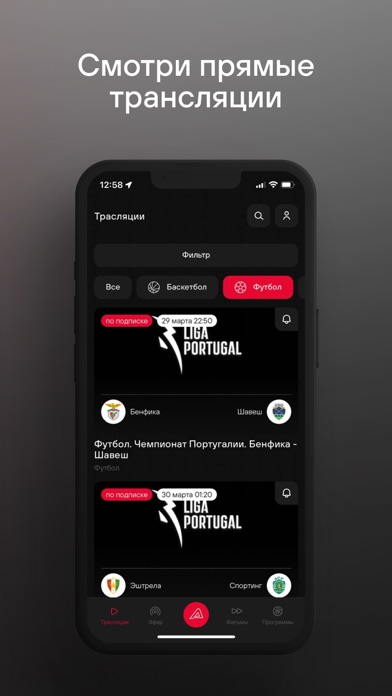
Sampled from 6 of TVSTART's App Store screenshots — background, accent and theme, measured by LaunchShots (not something Apple publishes).
#241C1C bg
#423B3B
#E40C34 accent
#FFFFFF text
Screenshots




Icon palette
About this app
- Прямые спортивные телеканалы. - Богатый выбор прямых трансляций по различным видам спорта. - Архив трансляций, фильмов и программ с системой поиска по видам спорта, чемпионатам, сезонам, командам и другим параметрам на любой вкус: - Футбольные матчи чемпионатов и кубков Португалии, Франции, бундеслиги Австрии, Южной Кореи, всех топовых международных турниров Азии. - Баскетбольные баталии Лиги чемпионов, Единой лиги ВТБ, чемпионата Испании (ACB), немецкой Бундеслиги. - Волейбольные матчи российской и турецкой Суперлиг, пляжный волейбол и волейбол на снегу. - Гандбольные противостояния немецкой бундеслиги, лиги SEHA, международных турниров. - Нарды, стрельба, горные лыжи, сноуборд, прыжки с трамплина, фигурное катание, тяжелая атлетика, единоборства, плавание, киберспорт, скалолазание, бильярд и многое, многое другое. Преимущество TVSTART: - С одной подпиской «СТАРТ» - весь контент б…
App details
What you can learn from TVSTART
Every shipping app on the App Store has gone through the same decisions you're working through right now: which screenshot goes first, what caption sits over it, which device frame to show, what color the background should be. The 6 screenshots above are TVSTART's answers to those questions — they're public, they're real, and they made it through Apple's review.
What the numbers say: TVSTART runs a dark set with one background colour (#241C1C) carried across every screenshot — the listing reads as a single poster when the shots sit side by side in search results. The accent colour we picked up, #E40C34, is the one to reuse for badges, arrows and highlighted words if you borrow this look. Hit Use this style to open the editor with these exact colours and drop your own screenshot in.
Notice the first screenshot in particular. It's the one users see in search results and on the product page, and it's where most apps spend their best caption and tightest design. Look at the proportion of background to phone, where the text sits, what one thing the image is trying to communicate.
Want to see how other Sports apps approach the same problem? Browse more Sports apps in the showcase.
Take what works into your own screenshots
Open LaunchShots and design your App Store & Google Play screenshots — pick a device frame, drop captions, ship in minutes. Free, in your browser.
Open the screenshot editor →Apps with a similar look
Closest background + accent colours among the listings we've analysed — useful when you want to see the same palette handled by a different team.