Screenshots
Icon palette
About this app
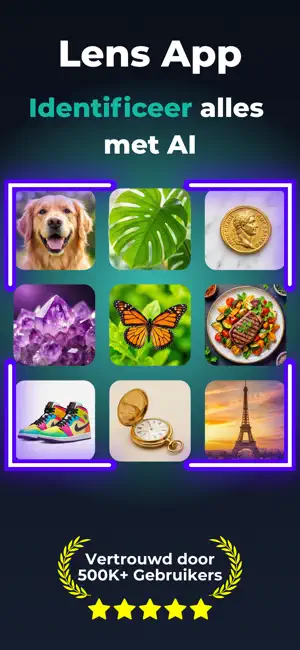
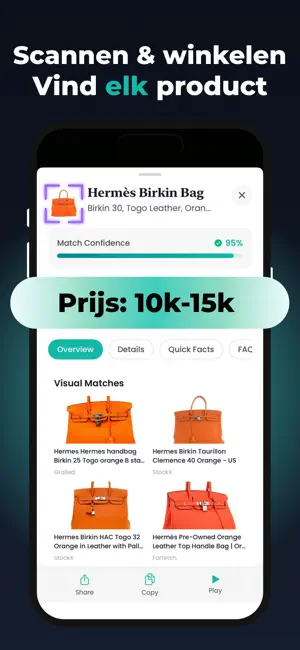
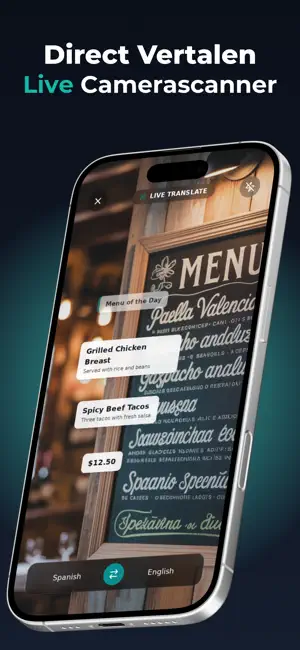
Meer dan 500.000 mensen weten al wat jij niet weet. Scan alles met je camera, krijg direct antwoord en de Lens-app laat je zien wat het is, wat het waard is en waar je het kunt kopen. Eindelijk een AI die je dagelijks gebruikt. Je camera wordt je slimste hulpmiddel. De Lens-app is dé alles-in-één identificatie-app en gebruikt geavanceerde AI om alles om je heen te scannen en te herkennen: dieren, planten, insecten, munten, stenen, eten, antiek, producten, bezienswaardigheden en meer. Geen typen. Geen eindeloos zoeken. Richt, scan en weet het. Heb je een vraag en kun je niet typen? Gebruik je microfoon. JE DAGELIJKSE PROBLEMEN, DIRECT OPGELOST "Wat is dit voor plant en hoe moet ik hem verzorgen?" "Welk ras is mijn hond? En die kat?" "Is dit insect gevaarlijk?" "Zou deze munt of dit antiek iets waard kunnen zijn?" "Wat voor steen is dit? Is het een kristal of een edelsteen?" "Hoeveel ca…
App details
What you can learn from Lens App: AI Afbeelding Zoeken
Every shipping app on the App Store has gone through the same decisions you're working through right now: which screenshot goes first, what caption sits over it, which device frame to show, what color the background should be. The 3 screenshots above are Lens App: AI Afbeelding Zoeken's answers to those questions — they're public, they're real, and they made it through Apple's review.
Notice the first screenshot in particular. It's the one users see in search results and on the product page, and it's where most apps spend their best caption and tightest design. Look at the proportion of background to phone, where the text sits, what one thing the image is trying to communicate.
Want to see how other Reference apps approach the same problem? Browse more Reference apps in the showcase.
Take what works into your own screenshots
Open LaunchShots and design your App Store & Google Play screenshots — pick a device frame, drop captions, ship in minutes. Free, in your browser.
Open the screenshot editor →