Chart position — tracked daily by LaunchShots
Screenshot style breakdown
Sampled from 6 of Mobasher - مباشر's App Store screenshots — background, accent and theme, measured by LaunchShots (not something Apple publishes).
#146C6C bg
#348080
#64A4A4 accent
#FFFFFF text
Screenshots


iPad screenshots
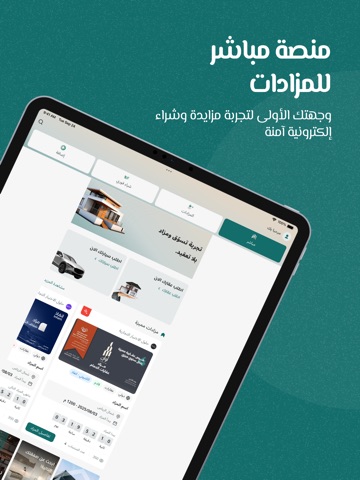
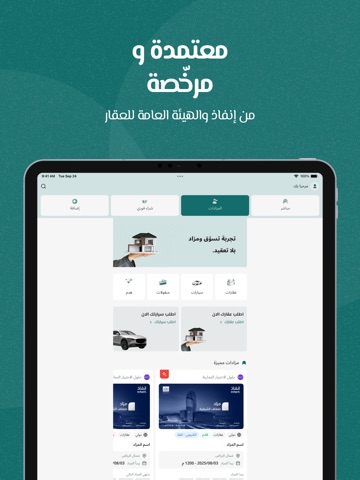
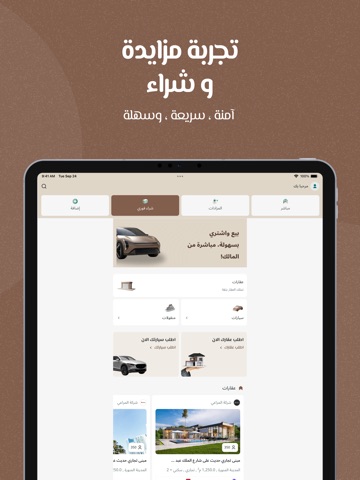


Icon palette
About this app
تطبيق مباشر للمزادات – منصتك الموثوقة والمرخّصة لتجربة مزايدات وبيع إلكتروني آمنة وسهلة في السعودية. مباشر للمزادات مرخّص رسميًا من مركز الإسناد والتصفية (إنفاذ) و الهيئة العامة للعقار، ويوفر لك تجربة استخدام احترافية متوافقة مع أعلى المعايير التنظيمية. سواء كنت تبحث عن عقارات، سيارات، معدات، أو منقولات، يتيح لك التطبيق المشاركة في مزادات مباشرة أو بيع مباشر بسهولة وسرعة، من أي مكان وفي أي وقت. المزايا الأساسية: • ترخيص رسمي: ثقة وأمان بفضل اعتماد التطبيق من الجهات الرسمية في المملكة. • سهولة الاستخدام: واجهة عصرية وسهلة تناسب جميع المستخدمين. • مزايدات مرنة: شارك في المزادات أو البيع المباشر بضغطة زر. • أمان متقدّم: تسجيل الدخول عبر البصمة. • إشعارات ذكية: تنبيهات لحظية بالمزادات القريبة منك أو التي تهمك. • تخصيص التفضيلات: اختر أنواع المزادات والإشعارات التي تناسبك. لماذا تختار مباشر؟ • وصول سريع إلى أحدث المزادات في السعودية. • متابعة المزايدات في الوقت الفعلي. • إدارة ح…
App details
What you can learn from Mobasher - مباشر
Every shipping app on the App Store has gone through the same decisions you're working through right now: which screenshot goes first, what caption sits over it, which device frame to show, what color the background should be. The 12 screenshots above are Mobasher - مباشر's answers to those questions — they're public, they're real, and they made it through Apple's review.
What the numbers say: Mobasher - مباشر runs a dark set where the background shifts from screenshot to screenshot (first shot #146C6C) — each image has to stand on its own, so the captions carry more of the story. The accent colour we picked up, #64A4A4, is the one to reuse for badges, arrows and highlighted words if you borrow this look. Hit Use this style to open the editor with these exact colours and drop your own screenshot in.
Notice the first screenshot in particular. It's the one users see in search results and on the product page, and it's where most apps spend their best caption and tightest design. Look at the proportion of background to phone, where the text sits, what one thing the image is trying to communicate.
Want to see how other Shopping apps approach the same problem? Browse more Shopping apps in the showcase.
Take what works into your own screenshots
Open LaunchShots and design your App Store & Google Play screenshots — pick a device frame, drop captions, ship in minutes. Free, in your browser.
Open the screenshot editor →Apps with a similar look
Closest background + accent colours among the listings we've analysed — useful when you want to see the same palette handled by a different team.