Chart position — tracked daily by LaunchShots
Screenshot changes — detected by LaunchShots
Screenshot style breakdown
Sampled from 4 of Cellular-Z • 5G, 4G信号检测's App Store screenshots — background, accent and theme, measured by LaunchShots (not something Apple publishes).
#249CFC bg
#42A9FC
#3C546C accent
#FFFFFF text
Screenshots


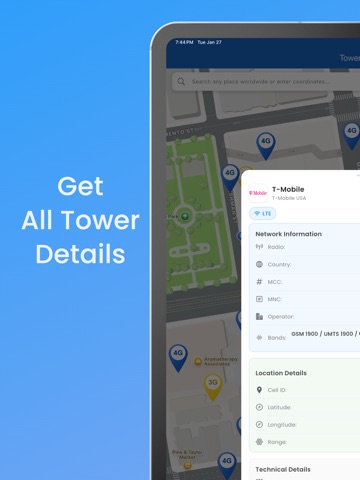
iPad screenshots



Icon palette
About this app
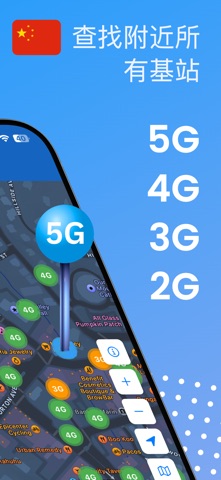
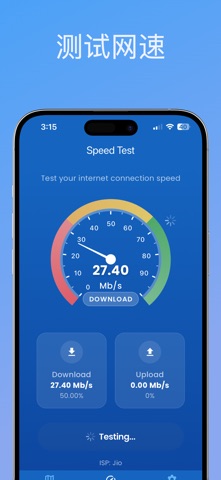
蜂窝塔与信号查找器 蜂窝塔与信号查找器是追踪和定位附近基站的终极解决方案。无论您是想提升移动信号,还是对所在地区的网络覆盖感到好奇,这款应用都能为您提供准确的5G、4G、3G和2G基站详细信息。 主要功能: 实时基站位置:查看所有主要网络类型的附近基站,包括5G、4G、3G和2G。 详细基站信息:获取基站ID、信号强度、区域和网络提供商等详细信息。 地图集成:通过直观界面在实时地图上轻松定位基站。 今天就用蜂窝塔与信号查找器探索地图上的网络覆盖! 注意:需要高级订阅才能使用高级功能,例如基站详细信息和筛选器。 Privacy: https://celltower.bravycode.com/privacy.html Terms: https://celltower.bravycode.com/terms.html
App details
What you can learn from Cellular-Z • 5G, 4G信号检测
Every shipping app on the App Store has gone through the same decisions you're working through right now: which screenshot goes first, what caption sits over it, which device frame to show, what color the background should be. The 8 screenshots above are Cellular-Z • 5G, 4G信号检测's answers to those questions — they're public, they're real, and they made it through Apple's review.
What the numbers say: Cellular-Z • 5G, 4G信号检测 runs a mixed light-and-dark set where the background shifts from screenshot to screenshot (first shot #249CFC) — each image has to stand on its own, so the captions carry more of the story. The accent colour we picked up, #3C546C, is the one to reuse for badges, arrows and highlighted words if you borrow this look. Hit Use this style to open the editor with these exact colours and drop your own screenshot in.
Notice the first screenshot in particular. It's the one users see in search results and on the product page, and it's where most apps spend their best caption and tightest design. Look at the proportion of background to phone, where the text sits, what one thing the image is trying to communicate.
Want to see how other Navigation apps approach the same problem? Browse more Navigation apps in the showcase.
Take what works into your own screenshots
Open LaunchShots and design your App Store & Google Play screenshots — pick a device frame, drop captions, ship in minutes. Free, in your browser.
Open the screenshot editor →Apps with a similar look
Closest background + accent colours among the listings we've analysed — useful when you want to see the same palette handled by a different team.