Chart position — tracked daily by LaunchShots
Screenshot changes — detected by LaunchShots
Screenshot style breakdown
Sampled from 6 of 企查查-全国企业信用信息工商查询's App Store screenshots — background, accent and theme, measured by LaunchShots (not something Apple publishes).
#2CA4FC bg
#2690DD
#3C4474 accent
#111111 text
Screenshots


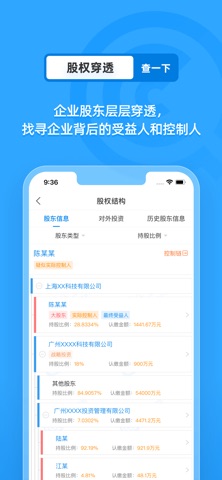
iPad screenshots


Icon palette
About this app
----为什么选择企查查---- ● 数据全面,覆盖全球:汇集全球超7.3亿家企业数据,热点产业链数据实时更新,提供400+数据维度。 ● 精准实时,更新迅速日均更新数据超过3000万次,力保数据实时性、准确性。 ● 技术领先,智能分析基于超算平台,使用深度学习算法、神经网络模型,快速“嗅探”海量信息中的可信商业数据,构建了一个「覆盖更广、精度更高、触角更深的」商业信息服务平台。 ● 用户信赖,口碑卓越开创企业查询赛道,累计注册用户超1.6亿,备受各专业人士认可。 ----企查查能为您做什么---- ● 企业背调:快速查询企业工商信息、风险公示、知识产权等,全面了解企业背景。 ● 筛选合作伙伴:查询老板关联公司及人员风险。 ● 风险监控:监控企业/人员的工商、司法、监管、经营风险和舆情动态等。 ● 商机拓客:多维度筛选、地图搜索等方式批量获取线索,一键导出商机。 ● 关系挖掘:深度分析企业投资关系、股权结构、产业链图谱,揭秘企业背后复杂关系。 ● 决策支持:提供企业信用报告、股权穿透报告等专业分析工具,助力商业决策。 ● 批量查询:批量上传企业名录,…
App details
What you can learn from 企查查-全国企业信用信息工商查询
Every shipping app on the App Store has gone through the same decisions you're working through right now: which screenshot goes first, what caption sits over it, which device frame to show, what color the background should be. The 14 screenshots above are 企查查-全国企业信用信息工商查询's answers to those questions — they're public, they're real, and they made it through Apple's review.
What the numbers say: 企查查-全国企业信用信息工商查询 runs a light set with one background colour (#2CA4FC) carried across every screenshot — the listing reads as a single poster when the shots sit side by side in search results. The accent colour we picked up, #3C4474, is the one to reuse for badges, arrows and highlighted words if you borrow this look. Hit Use this style to open the editor with these exact colours and drop your own screenshot in.
Notice the first screenshot in particular. It's the one users see in search results and on the product page, and it's where most apps spend their best caption and tightest design. Look at the proportion of background to phone, where the text sits, what one thing the image is trying to communicate.
Want to see how other Business apps approach the same problem? Browse more Business apps in the showcase.
Take what works into your own screenshots
Open LaunchShots and design your App Store & Google Play screenshots — pick a device frame, drop captions, ship in minutes. Free, in your browser.
Open the screenshot editor →Apps with a similar look
Closest background + accent colours among the listings we've analysed — useful when you want to see the same palette handled by a different team.