Chart position — tracked daily by LaunchShots
Screenshot changes — detected by LaunchShots
Screenshot style breakdown
Sampled from 5 of PAYLY's App Store screenshots — background, accent and theme, measured by LaunchShots (not something Apple publishes).
#0CACEC bg
#0A97CF
#046CAC accent
#111111 text
Screenshots


iPad screenshots
Icon palette
About this app
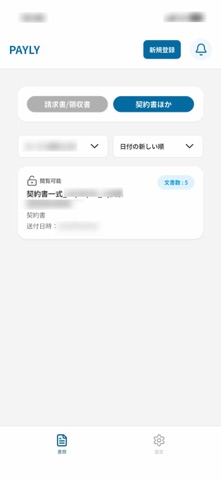
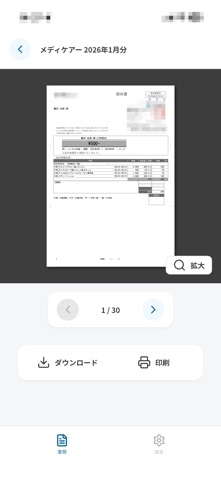
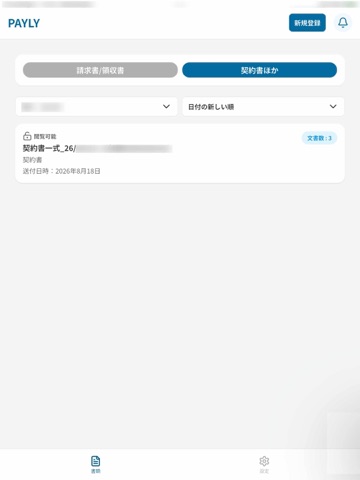
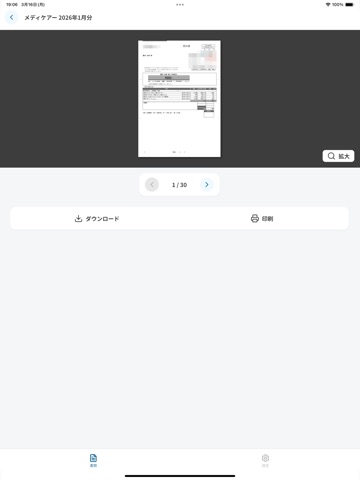
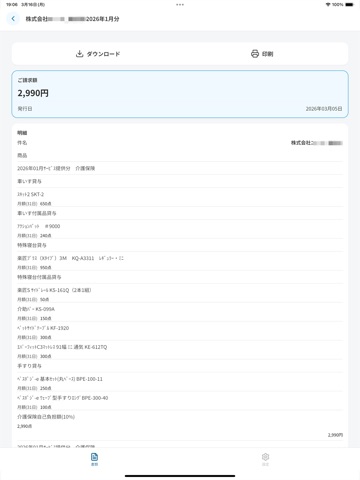
もう紙の請求書にさよなら!請求書閲覧アプリ「PAYLY」でスマートに文書を管理しよう! 毎月の請求書、きちんと管理できていますか? 紙の請求書は、かさばる、紛失しやすい、保管が面倒…といった悩みがつきもの。 「PAYLY」は、そんな悩みを解決する、全く新しい請求書閲覧アプリです。 ◉「PAYLY」の3つの特徴 1. スマホで簡単アクセス いつでもどこでも請求書を確認できます。 紙の請求書を保管する必要がなくなり、スッキリとした生活を実現! 2. 安全・安心のセキュリティ 個人情報は厳重に管理され、プライバシーもしっかり保護。 安心してご利用いただけます。 3. シンプルで使いやすい アプリの操作は簡単で、誰でもすぐに使いこなせます。 複雑な設定は一切不要! ◉「PAYLY」でできること - 過去の請求書もまとめて確認!(最大18ヶ月) - 必要な時にすぐに確認できるので、家計管理にも役立ちます。 - 請求書を家族と共有!離れて住むご家族でも請求書・領収書をいつでもどこでも何人でも家族みんなで請求書の内容を把握できて安心! ◉「PAYLY」はこ…
App details
What you can learn from PAYLY
Every shipping app on the App Store has gone through the same decisions you're working through right now: which screenshot goes first, what caption sits over it, which device frame to show, what color the background should be. The 10 screenshots above are PAYLY's answers to those questions — they're public, they're real, and they made it through Apple's review.
What the numbers say: PAYLY runs a light set where the background shifts from screenshot to screenshot (first shot #0CACEC) — each image has to stand on its own, so the captions carry more of the story. The accent colour we picked up, #046CAC, is the one to reuse for badges, arrows and highlighted words if you borrow this look. Hit Use this style to open the editor with these exact colours and drop your own screenshot in.
Notice the first screenshot in particular. It's the one users see in search results and on the product page, and it's where most apps spend their best caption and tightest design. Look at the proportion of background to phone, where the text sits, what one thing the image is trying to communicate.
Want to see how other Utilities apps approach the same problem? Browse more Utilities apps in the showcase.
Take what works into your own screenshots
Open LaunchShots and design your App Store & Google Play screenshots — pick a device frame, drop captions, ship in minutes. Free, in your browser.
Open the screenshot editor →Apps with a similar look
Closest background + accent colours among the listings we've analysed — useful when you want to see the same palette handled by a different team.