Chart position — tracked daily by LaunchShots
Screenshot changes — detected by LaunchShots
Screenshot style breakdown
Sampled from 6 of Genspark(ジェンスパーク)AIワークスペース's App Store screenshots — background, accent and theme, measured by LaunchShots (not something Apple publishes).
#F4F4F4 bg
#D6D6D6
#EC4444 accent
#111111 text
Screenshots


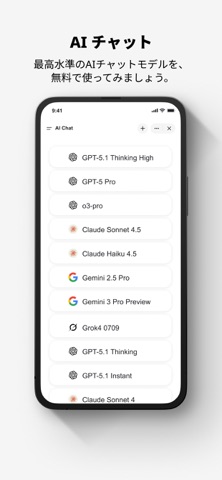
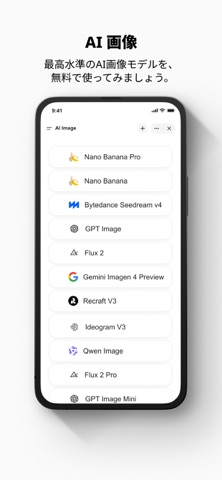
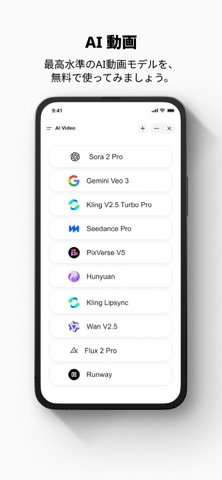
iPad screenshots





Icon palette
About this app
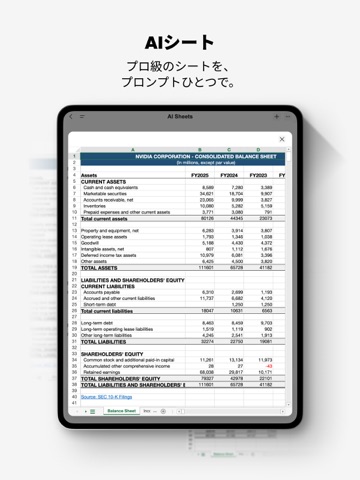
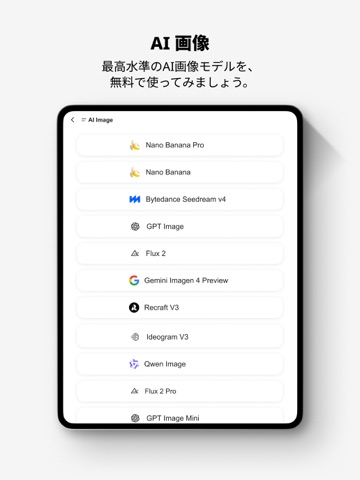
Gensparkは、面倒な作業を“オートパイロット(自動化)”で片づける、オールインワンAIワークスペースです。 プロンプトを入力するだけ。あとはGensparkが調査・作成・整理まで一気通貫で進めます。 スーパーエージェント ・どんな質問でも、素早く正確に回答 ・トピックを自律的にリサーチし、必要な情報を幅広く収集 ・シンプルなプロンプトだけで、高品質な画像・動画・音声を生成 AI スライド ・プロンプトを入力するだけで、会議・提案にそのまま使える“ボードルーム品質”のスライドを自動作成 ・自動リサーチで内容を補強し、手間なく説得力のあるプレゼンへ AI シート ・プロンプトを入力するだけで、Excel作業をオートパイロット化(情報収集/数式作成/テンプレート作成を自動化) ・データからインサイトまで、数秒で到達 AI ドキュメント ・プロンプトを入力するだけで、プロ品質のドキュメントを自動作成 ・数百のインテリジェントなテンプレートが、固定の型に縛られず用途に合わせて柔軟にフィット AI デベロッパー ・プロンプトを入力するだ…
App details
What you can learn from Genspark(ジェンスパーク)AIワークスペース
Every shipping app on the App Store has gone through the same decisions you're working through right now: which screenshot goes first, what caption sits over it, which device frame to show, what color the background should be. The 16 screenshots above are Genspark(ジェンスパーク)AIワークスペース's answers to those questions — they're public, they're real, and they made it through Apple's review.
What the numbers say: Genspark(ジェンスパーク)AIワークスペース runs a light set with one background colour (#F4F4F4) carried across every screenshot — the listing reads as a single poster when the shots sit side by side in search results. The accent colour we picked up, #EC4444, is the one to reuse for badges, arrows and highlighted words if you borrow this look. Hit Use this style to open the editor with these exact colours and drop your own screenshot in.
Notice the first screenshot in particular. It's the one users see in search results and on the product page, and it's where most apps spend their best caption and tightest design. Look at the proportion of background to phone, where the text sits, what one thing the image is trying to communicate.
Want to see how other Productivity apps approach the same problem? Browse more Productivity apps in the showcase.
Take what works into your own screenshots
Open LaunchShots and design your App Store & Google Play screenshots — pick a device frame, drop captions, ship in minutes. Free, in your browser.
Open the screenshot editor →Apps with a similar look
Closest background + accent colours among the listings we've analysed — useful when you want to see the same palette handled by a different team.