launchshots / showcase / developer tools / reins: for ollama & lm studio

Reins: for Ollama & LM Studio

by Ibrahim Cetin
Developer Tools 4.6 (282) Free 4+ 39.6 MB

Chart position — tracked daily by LaunchShots

#31 of 100
Top Free Developer Tools · Sweden
best #31 · 5 days tracked · as of Sep 21
▲ 51 / 7d
#47 of 100
Top Free Developer Tools · Poland
best #47 · 4 days tracked · as of Sep 15
— / 7d
#62 of 100
Top Free Developer Tools · Germany
best #33 · 11 days tracked · as of Sep 20
▼ 2 / 7d
#64 of 100
Top Free Developer Tools · United Kingdom
best #64 · 4 days tracked · as of Sep 21
▲ 36 / 7d
#70 of 100
Top Free Developer Tools · South Korea
best #70 · 1 day tracked · as of Sep 5
— / 7d
+ 13 more charts

Screenshot changes — detected by LaunchShots

Aug 23, 2026
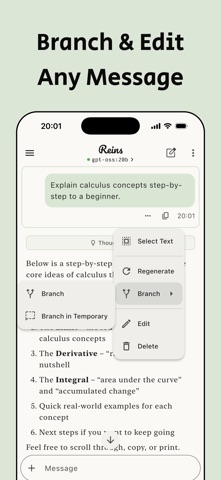
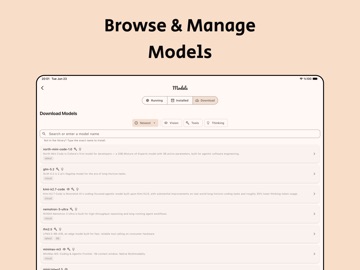
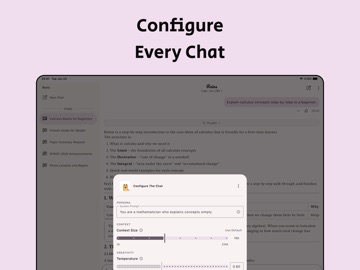
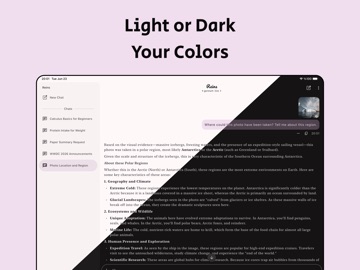
Reins: for Ollama & LM Studio added 4 iPhone screenshots (6 → 10); moved to captions above the phone (was captions below the phone); changed the accent colour from #4C341C to #549464; unified every screenshot on one background colour.

Screenshot style breakdown

Sampled from 6 of Reins: for Ollama & LM Studio's App Store screenshots — background, accent and theme, measured by LaunchShots (not something Apple publishes).

Use this style →
10 iPhone screenshots · 10 iPad Light theme One background colour across the set
#D4E4EC bg #BAC8CF #549464 accent #111111 text
vs. Developer Tools apps we've analysed (1192): 39% use a light theme — so does Reins: for Ollama & LM Studio; 33% put the caption above the phone (same here); the average set has 5.5 screenshots — Reins: for Ollama & LM Studio ships 10. Full Developer Tools benchmark →

Screenshots

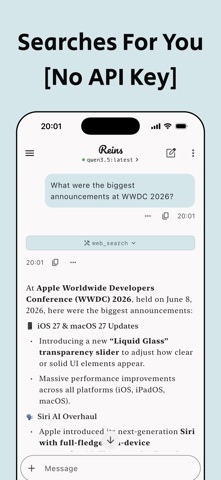
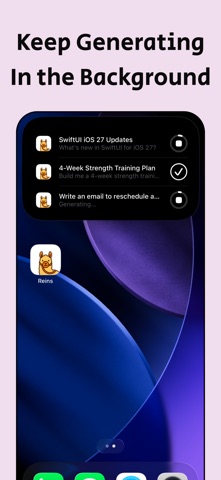
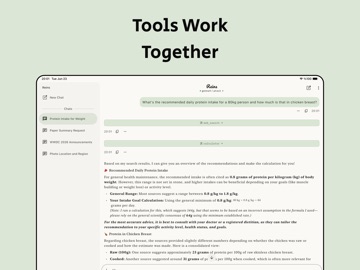
#1 Reins: for Ollama & LM Studio iPhone screenshot 1
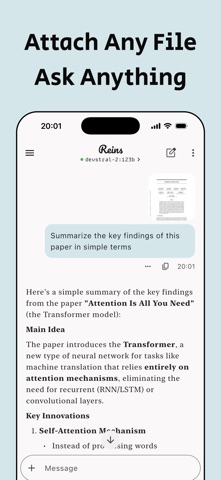
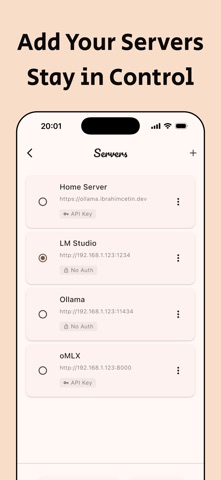
#2 Reins: for Ollama & LM Studio iPhone screenshot 2
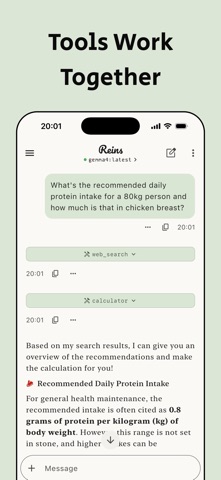
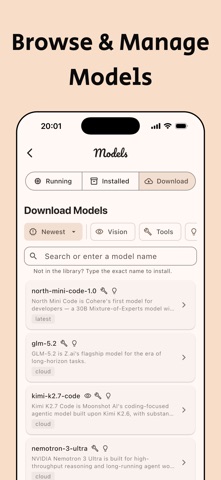
#3 Reins: for Ollama & LM Studio iPhone screenshot 3
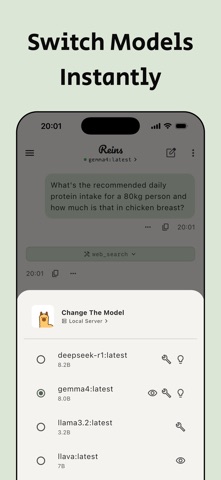
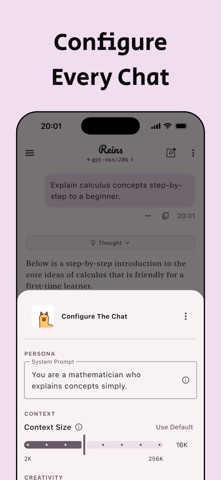
#4 Reins: for Ollama & LM Studio iPhone screenshot 4
#5 Reins: for Ollama & LM Studio iPhone screenshot 5
#6 Reins: for Ollama & LM Studio iPhone screenshot 6
#7 Reins: for Ollama & LM Studio iPhone screenshot 7
#8 Reins: for Ollama & LM Studio iPhone screenshot 8
#9 Reins: for Ollama & LM Studio iPhone screenshot 9
#10 Reins: for Ollama & LM Studio iPhone screenshot 10

iPad screenshots

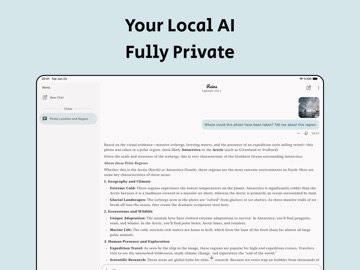
#1 Reins: for Ollama & LM Studio iPad screenshot 1
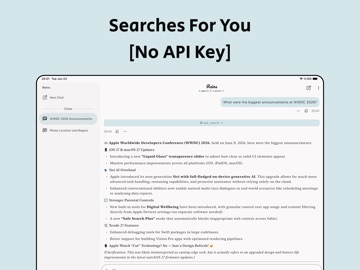
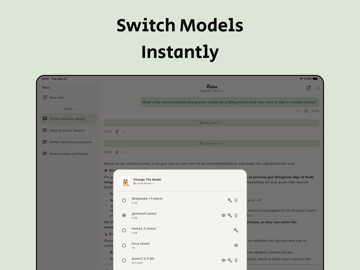
#2 Reins: for Ollama & LM Studio iPad screenshot 2
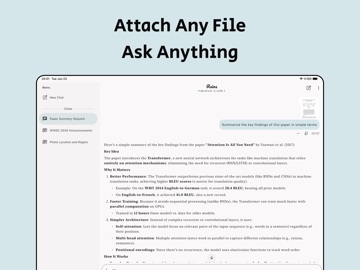
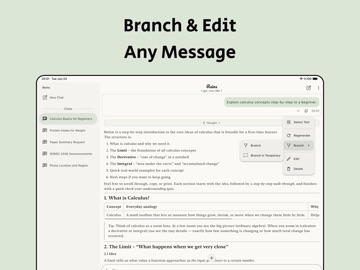
#3 Reins: for Ollama & LM Studio iPad screenshot 3
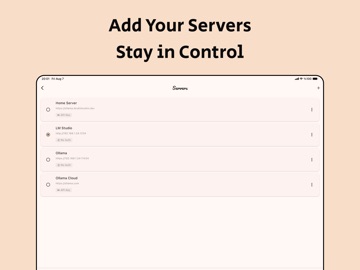
#4 Reins: for Ollama & LM Studio iPad screenshot 4
#5 Reins: for Ollama & LM Studio iPad screenshot 5
#6 Reins: for Ollama & LM Studio iPad screenshot 6
#7 Reins: for Ollama & LM Studio iPad screenshot 7
#8 Reins: for Ollama & LM Studio iPad screenshot 8
#9 Reins: for Ollama & LM Studio iPad screenshot 9
#10 Reins: for Ollama & LM Studio iPad screenshot 10

Icon palette

extracting…
Dominant colors sampled from the icon — click any swatch to copy the hex.

About this app

Take the Reins of your AI. Reins connects to your Ollama, LM Studio or any OpenAI-compatible server and brings powerful AI models like Llama, Gemma, Qwen and more to your iPhone and iPad — with tools, web search, and full control over every conversation. No login. No data collection. PRIVATE BY DESIGN No login. No account. No data collection. Every chat stays yours. TOOLS & WEB SEARCH Go beyond chat. Reins gives models the ability to search the web, fetch pages, calculate and reason across multiple steps — no API key required for web search. FULL MODEL CONTROL Download, switch and manage your models directly from the app. Connect multiple servers, configure API keys and custom headers and switch between them instantly. Access Ollama Cloud when you need it. POWERFUL CHAT Attach images, PDFs, CSVs and text files to any conversation. Enable thinking mode for deeper reasoning when you …

App details

Bundle ID
dev.ibrahimcetin.reins
Latest version
2.2.1
Released
Jan 2, 2025
Last updated
Aug 28, 2026
Languages
1 (EN)
Genres
Developer Tools, Productivity

What you can learn from Reins: for Ollama & LM Studio

Every shipping app on the App Store has gone through the same decisions you're working through right now: which screenshot goes first, what caption sits over it, which device frame to show, what color the background should be. The 20 screenshots above are Reins: for Ollama & LM Studio's answers to those questions — they're public, they're real, and they made it through Apple's review.

What the numbers say: Reins: for Ollama & LM Studio runs a light set with one background colour (#D4E4EC) carried across every screenshot — the listing reads as a single poster when the shots sit side by side in search results. The accent colour we picked up, #549464, is the one to reuse for badges, arrows and highlighted words if you borrow this look. Hit Use this style to open the editor with these exact colours and drop your own screenshot in.

Notice the first screenshot in particular. It's the one users see in search results and on the product page, and it's where most apps spend their best caption and tightest design. Look at the proportion of background to phone, where the text sits, what one thing the image is trying to communicate.

Want to see how other Developer Tools apps approach the same problem? Browse more Developer Tools apps in the showcase.

Take what works into your own screenshots

Open LaunchShots and design your App Store & Google Play screenshots — pick a device frame, drop captions, ship in minutes. Free, in your browser.

Open the screenshot editor →

Apps with a similar look

Closest background + accent colours among the listings we've analysed — useful when you want to see the same palette handled by a different team.

Premier Service
#E4E4EC #4C9464
Redock - SSH / Mosh Terminal
#DCECFC #4C9C64
Скороговорун: грамотная речь
#DCE4FC #649C6C
STF Time
#DCDCDC #549454
Fridgify
#D4F4EC #5CAC64
Secondhandys: second hand-app
#DCECE4 #5CAC74

More Developer Tools apps

Latest from the blog

Guides
Claude Code Weekly Limit vs 5-Hour Lockout: Complete Usage & Reset Guide
Sep 22, 2026
Guides
When Does Claude Code Usage Reset? Complete Reset Schedule Guide
Sep 22, 2026
News
Google Play Policy Updates: A Monthly Compliance Routine
Sep 22, 2026
Guides
Using Device Frames in App Store Screenshots Responsibly
Sep 21, 2026
1 / 1
copied